I was trying to create an icon set of all the icons I currently am using in directory opus. About half of the icons I am using are unique and not included in any icon library within opus. I was getting irritated and not going slowly and reading ahead and don't understand what I did. I went into preferences - toolbars - icons. I highlighted the internal icon set. then went to the top right menu button, held down ctrl and shift and clicked save icon set template. Then i did the same without pressing the button combo, so I have a DIS and a XML file saved.
Now i am missing a bunch of my icons, they are the generic white squares that are placeholders for icons. What did I do wrong and how can I fix this?
For the issue of creating an icon set, see Iconset Maker (Updated).
can this restore the now blank icons? I dont know what i did i just want it back to normal and I'll leave it alone
Im lost. I have no idea what that has to do with saving my current icons. I appreciate your help though
"I think" I did what you described in your original post.
An .xml file to be used as a template and a badly formed and non-functioning .dis file were created but nothing happened to the files in C:\Users...\AppData\Roaming\GPSoftware\Directory Opus\Icons which is the file location for the display in preferences - toolbars - icons.
I'm sorry that I don't know what happened to your icons.
Do you miss internal icons or some of your own collection?
Jon - as far as I can tell I am only missing the small icons of my own personal icons. I can click on the buttons, go to edit, and the larger icon in the group of two will be there, but the second one is missing. I'm sorry if I am not using proper terminology.
Jinsight - yea I'm completely lost. I thought I was reading a post correctly that was explaining how to make your own icon set and I apparently was highly mistaken.
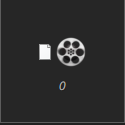
this is what I'm talking about
Post the icon set and we can probably tell you what’s wrong with it.
Current set 10-26-25.dis (145.2 KB)
I've had a similar experience in the past, with all the icons turning black. In my case, the problem was a mismatch between the xml file configuration and the image file size.
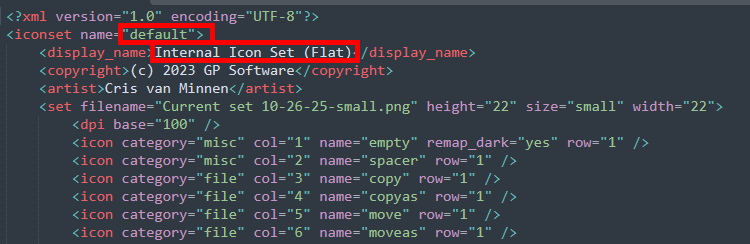
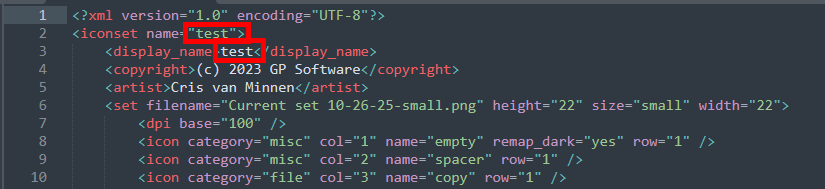
A .dis file, is a normal ZIP file with a .dis extension. Inside the .dis file is an XML file that defines the icon set, and one or more image files that contain the actual image data for the icons. It can be edited by a program like 7-Zip.
dudes, all you guys, thank you so much for the help. It was royally pissing me off, and it is now back to normal. Thank you for helping me fix my own mess!