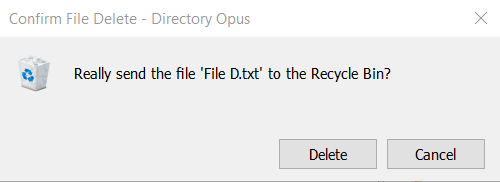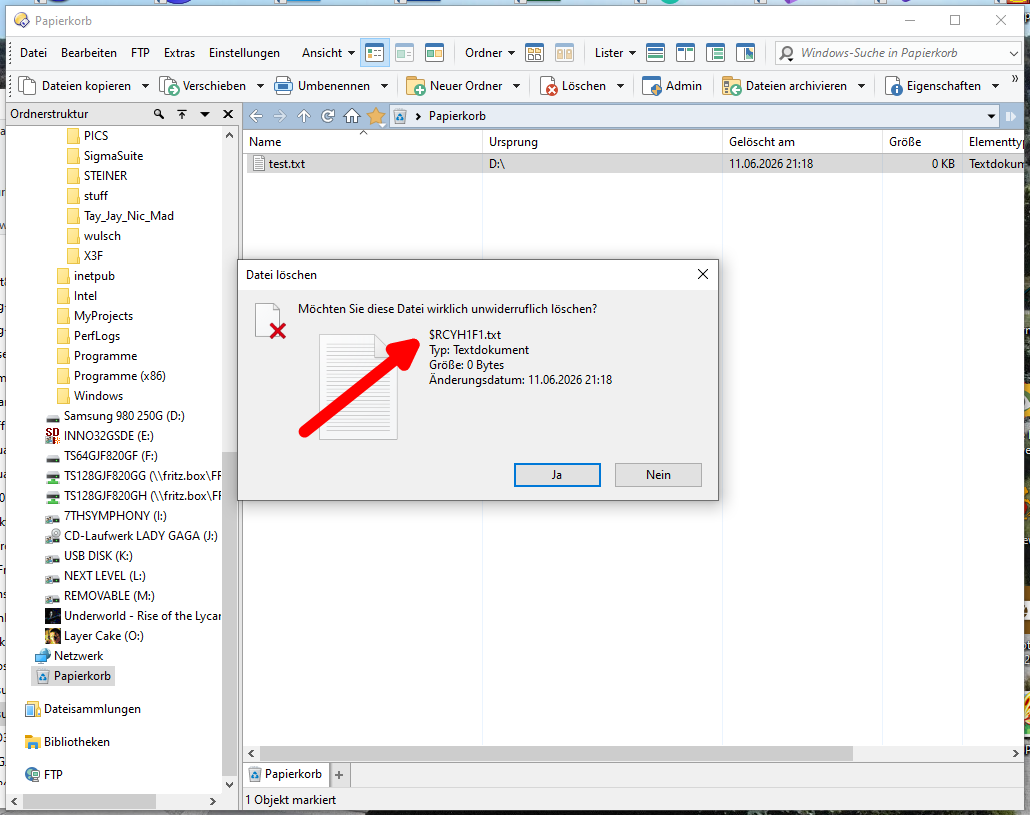
Now all my Windows 10 and 11 systems are broken, and Windows 7 is running properly:
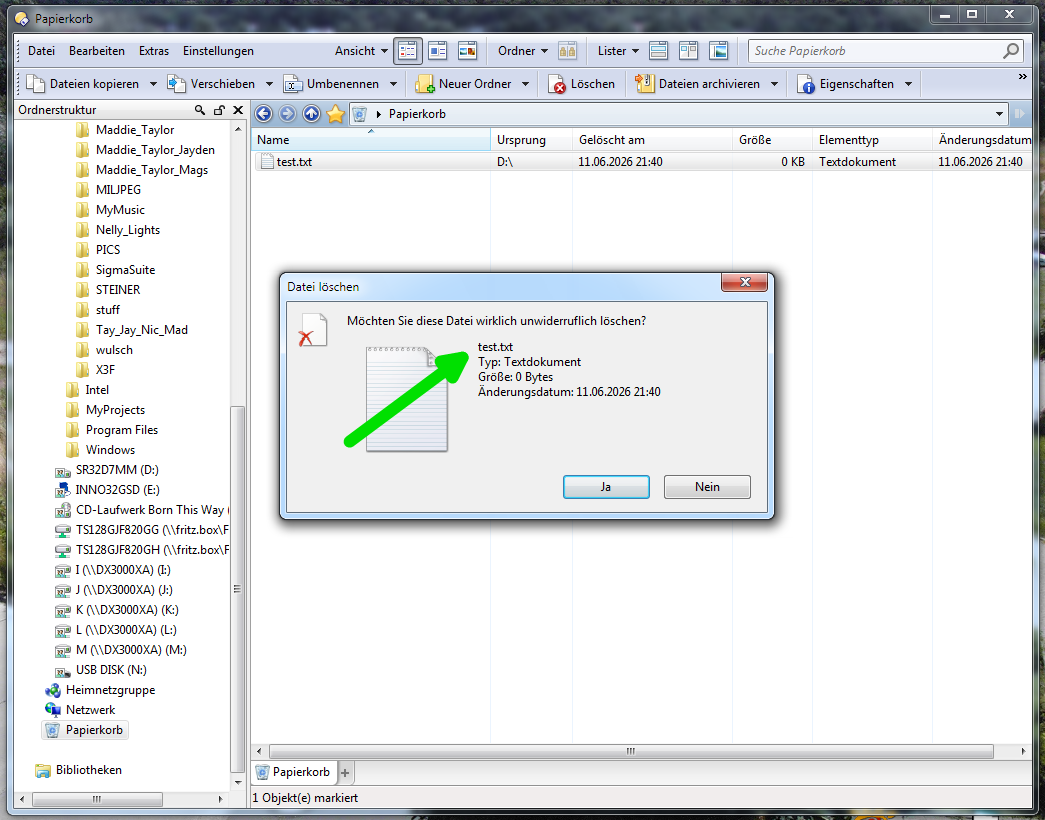
Microsoft, please regain NI (Natural Intelligence), and MWGA (Make Windows Great Again)...
Regards
Guido
Now all my Windows 10 and 11 systems are broken, and Windows 7 is running properly:
Microsoft, please regain NI (Natural Intelligence), and MWGA (Make Windows Great Again)...
Regards
Guido
Make sure your Recycle Bin is empty, then press "Delete".
Now empty the Recycle Bin.
That should bring up the bogus dialog window.
That means, when exactly ONE file is in the Recycle Bin and you empty it.
Windows 10 and 11 after the June update.
Confirmed in the Deskmodder discussion.
The "DK2000" user (good Windows expert) says that the user filename would be in a metafile which for some reason cannot be read by Explorer UI so that the "internal" filename is displayed instead.
I am curious when the issue will be confirmed and fixed by Microsoft, I'll watch it...
Regards
Guido
What surprises me is the amount of code (and bugs  ) that is apparently still shared between Windows 10 and 11 in this case.
I'm still on 10 on the main system, so I look here:
June 9, 2026—KB5094127 (OS Builds 19045.7417 and 19044.7417)
This particular issue is not (yet) mentioned in the "Known issues in this update" section.
As addressed issues are mentioned:
Although I cannot see a direct connection with these issues, the corresponding changes may be related.
Regards
Guido
Scheiße
Scheiße? OK. Now confirmed by Microsoft:
Deleting a file from the Recycle Bin displays an internal filename in the dialog
See also the Hopefully Windows 10 will retire sanely... post.
Regards
Guido
Scheiße? OK. Now confirmed by Microsoft:
Luckily, it is just a UI glitch. No harm is done. However, you start to wonder whether their claims that AI can solve all the bugs are true.
I would be much more worried about stuff like YellowKey BitLocker bypass.
See also the Hopefully Windows 10 will retire sanely... post.
There is still a long time until the support of Windows 10 LTSC expires. There is a chance that Microsoft will extend the support for longer.
Bad enough. UI is important. Otherwise we could operate in terminal.
Microsoft eased the conditions short before entering Windows 10 ESU on October 14, 2025, but we don't yet know what will happen after coming ESU end on October 13, 2026.
So in the worst case we will have the last update in October 2026.
I will use the system a bit longer than that.
It was introduced and set up in 2017, and I have a fresh BIOS update of 2026, because the device manufacturer was able to provide this to update the old Secure Boot certificates which expire now, and thus retain the device secure score.
Regards
Guido
New message from June 25, 2026:
Stay secure with Windows ...
Editor’s note – June 25, 2026 – This post has been updated to reflect that the Windows 10 Extended Security Updates (ESU) program for personal use devices is being provided for an additional year, with coverage now available through Oct. 12, 2027. This extension provides customers with more time to transition to a new Windows 11 PC while continuing to receive critical security updates.
Very good decision, thanks, Microsoft.
My take:
This extension provides Microsoft with more time to improve Windows 11 to a level to encourage Windows 10 users to transition to a new Windows 11 system.
(See Improving Windows quality: Making Taskbar and Start more personal)
Regards
Guido
Yes. I'm waiting for WSL2 file system performance improvements. Accessing Windows files from WSL2 Linux is very slow.
I guess that a good time for me to transition to a new Windows 11 system would be the year 2028, after further Windows 10 ESU extension next year, which is the final planned Win10 22H2 ESU end.
Windows 11 will be "just good" with version 26H2 as predicted, but yes, it could become better...
Regards
Guido
I meant this WSL 2 is getting faster Windows file system access.
I have tried it. Unfortunately, it is still ungodly slow. I don't know what performance issue they were fixing 
We talked about Windows in Parallels on macOS, which feels very good.
Microsoft certainly works with Parallels, maybe they should exchange know-how.
Regards
Guido
I'm not sure it works like that. However, I think the main problem is that Microsoft doesn't consider fast shared drives an important feature. There are a lot of weird things, like, for instance, Windows Terminal still doesn't support unlimited scrolling. It doesn't even support reasonably long scrolling. Windows Terminal is designed from scratch using the most advanced UI libraries, but it doesn't support more than ~33000 lines of scrollback, which is not enough to store a build log for a small project.
Also, I have recently noticed that Windows Pro doesn't allow you to permanently disable Windows Defender. Given how expensive the hardware is, I have to take desperate measures to prolong the SW development usefulness of my gaming laptop for 1 or 2 more years.
Seems resolved with the July 2026 Windows update:
Deleting a file from the Recycle Bin displays an internal filename in the dialog
Now working with Windows is possible again...