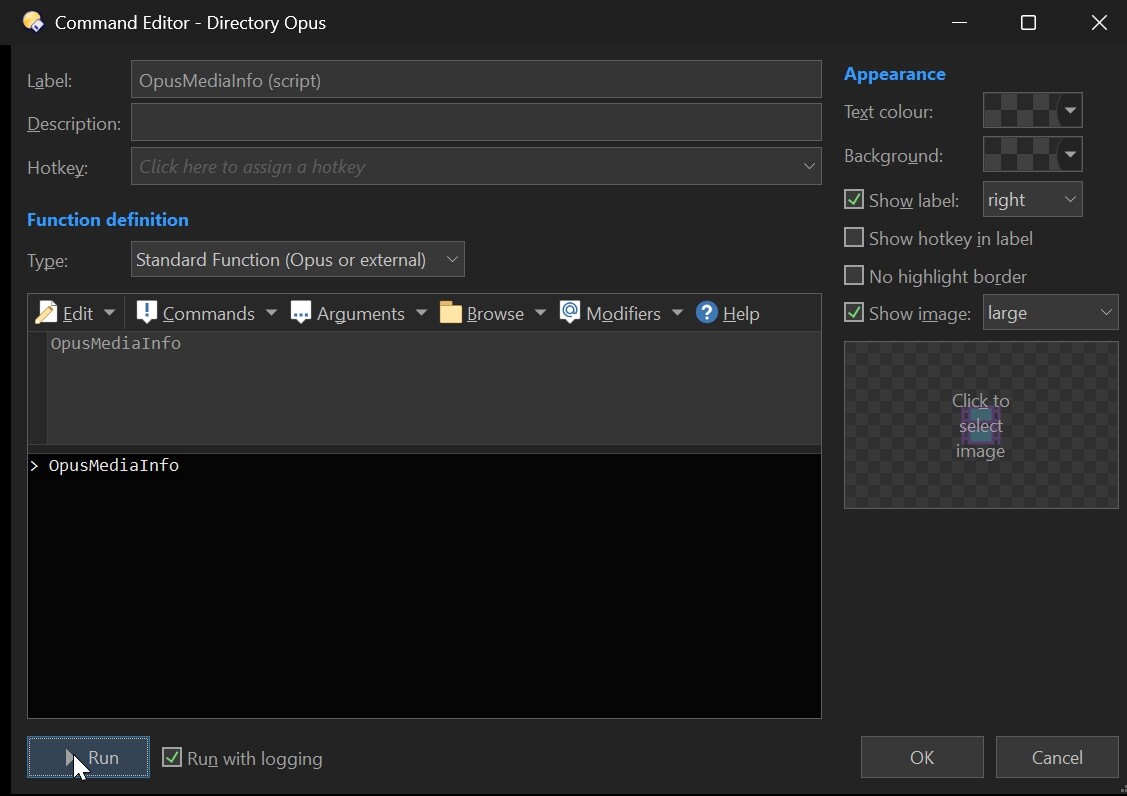
Does it work in the preview (in the Column Editor window)? With that same file.
How you setup your infotip in Opus?
It's also worth checking whether any other column is working, because it looks like you are getting empty MediaInfo data.
TBH, after reviewing the code, I don't see how you could end up in that situation. Even if the MediaInfo data were empty, the infotip would still be parsed into something empty.
The only thing I can think of is that, for some reason, the parser is not finding the patterns, so it would just pass the literal text through. But your example doesn't show that. Did you change any line in the script?
Or is there anyone else who can reproduce the same issue with the infotips?
no, copy-paste only.
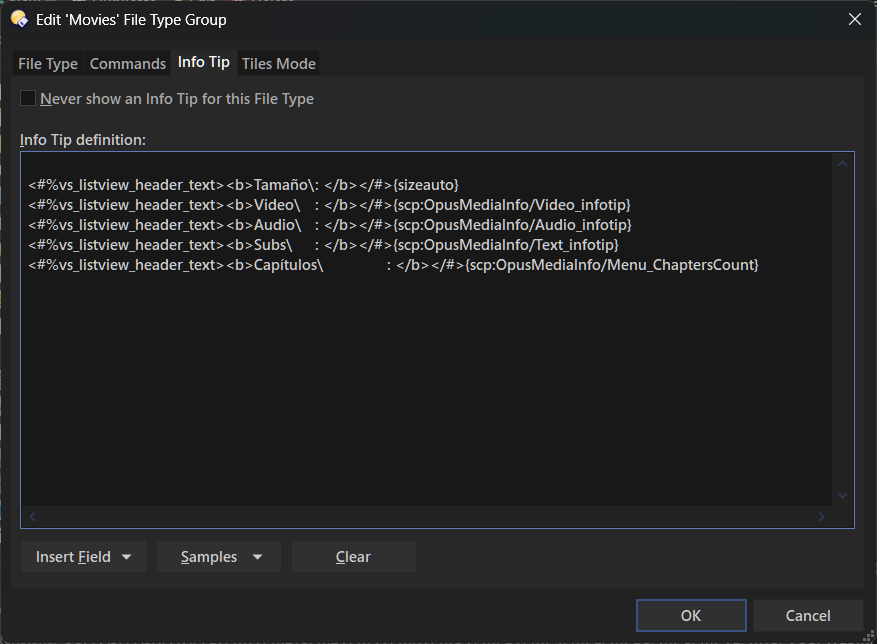
prefs-file types-movies-info tips->paste
Ah, I understand now. This is not how you use infotips with this script.
That text is how you define the infotip's content, taking into account that a file can have multiple streams. That text is going to expand to the actual values when you use the infotip own keyword. Just like in the preview.
To actually use the infotip in the Opus filetype dialog, you don't need to paste that text, instead simply reference the infotip with its keyword (eg. scp:OpusMediaInfo/General_infotip). Better use the drop-down menu in that same dialog, where all columns are listed.
v4.1:
- Improved Options dialog. Database options are now separated and it also includes:
- Ability to disable the DB if Opus is running from a USB export.
- Added an exclusions list. Supports paths and wildcards (no partial matches), to exclude files from the DB based on their path.
- Added some safeguards that could prevent the DB from getting locked in certain situations.
- Other minor changes.
1 Like
v4.2 (24 - Feb - 2026) :
- Added the
TOargument to specify the output path when used together withDUMP. - Added the
PURGEDB,KEEPMISSINGDRIVES, andVACUUMarguments to let you clean up your database. - Some common predefined values are now added when opening the Column Editor dialog. You can still add more entries to the list whenever you drop a file into it.
- Minor UI changes.
- Other minor fixes.
I've also updated the first post to document ALL the features.
Note that from now on, this script will not receive any new features, only bug fixes.
I've mainly updated its GitHub page, so you can stay tuned there if you're interested.
4 Likes
Must be me for sure but I can't get it to launch with the following button command.
What am I doing wrong?