Hi all.
I'm trying to configure Directory Opus to make moving files in single-pane mode as convenient as possible. Almost everything has worked out, but I ran into two problems.
1. Panel with disc disclosure
I made a panel for quickly moving a file/folder to another drive, but with folders expanding. I work in single-panel mode and basically I just dragged a file or folder onto the disk icon, and then went there and dropped it into the desired folder.
Finally, after experimenting for several hours, I made myself such a panel with a dro
p-down “My Computer”. You drag any file or folder onto this button, and voila, any local drive, and then all subfolders open, and you can move them to any one. When you drag a file onto it, a list of all local drives appears (beautiful, much better than if you create a panel for each drive separately), then you can expand any folders and move the file immediately to the desired location.
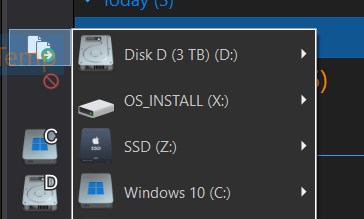
command Go FOLDERCONTENT="nofiles,showempty,copyargs=MOVE" /mycomputer
The idea works and looks great, but there is one problem: the disks are displayed in a completely unclear order. They are not sorted by letter (C, D, E...), by name, or by physical location. Just a random order.
I tried various sorting settings, including sorting by name, but they have no effect on this panel.
I also created a separate panel with a button for each disk separately, it’s not even a weak semblance, it looks much worse.
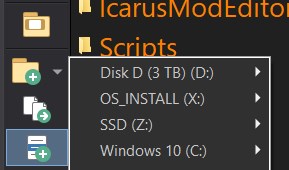
or
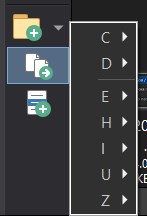
Question: is there any way to force the list of drives to be displayed by letter?
2. Analogue of spring-loaded folders with grouping enabled
I really wanted to use the standard DO13 spring-loaded folders function. However, after several hours of searching and tormenting with settings options, I found out that it does not work at all if file grouping is enabled (for example, by date).
For me, disabling grouping is not an option - I always work this way (Details or Icons view with grouping).
Ideally, I would like to hold the file with the mouse and just go deeper and deeper into the folders with it: point it at a folder - it opens, point it at the next one - it opens, and so on until the desired place (like in a file tree, yes), and then release the mouse button. As far as I understand, there is no such mode in Directory Opus, but perhaps I missed something and you can do it yourself.
Therefore, I decided to assemble an analogue myself through the contextual/drop-down menu. Both by RMB and by LMB.
At first nothing worked. I inserted Go FOLDERCONTENT="nofiles,showempty,copyargs=MOVE" {filepath}
and
Go FOLDERCONTENT="nofiles,showempty,copyargs=MOVE" {actionpath}
into the menu - it doesn’t work.
Although the commands themselves seem to work and when you drag folders onto this panel, they transform into themselves.
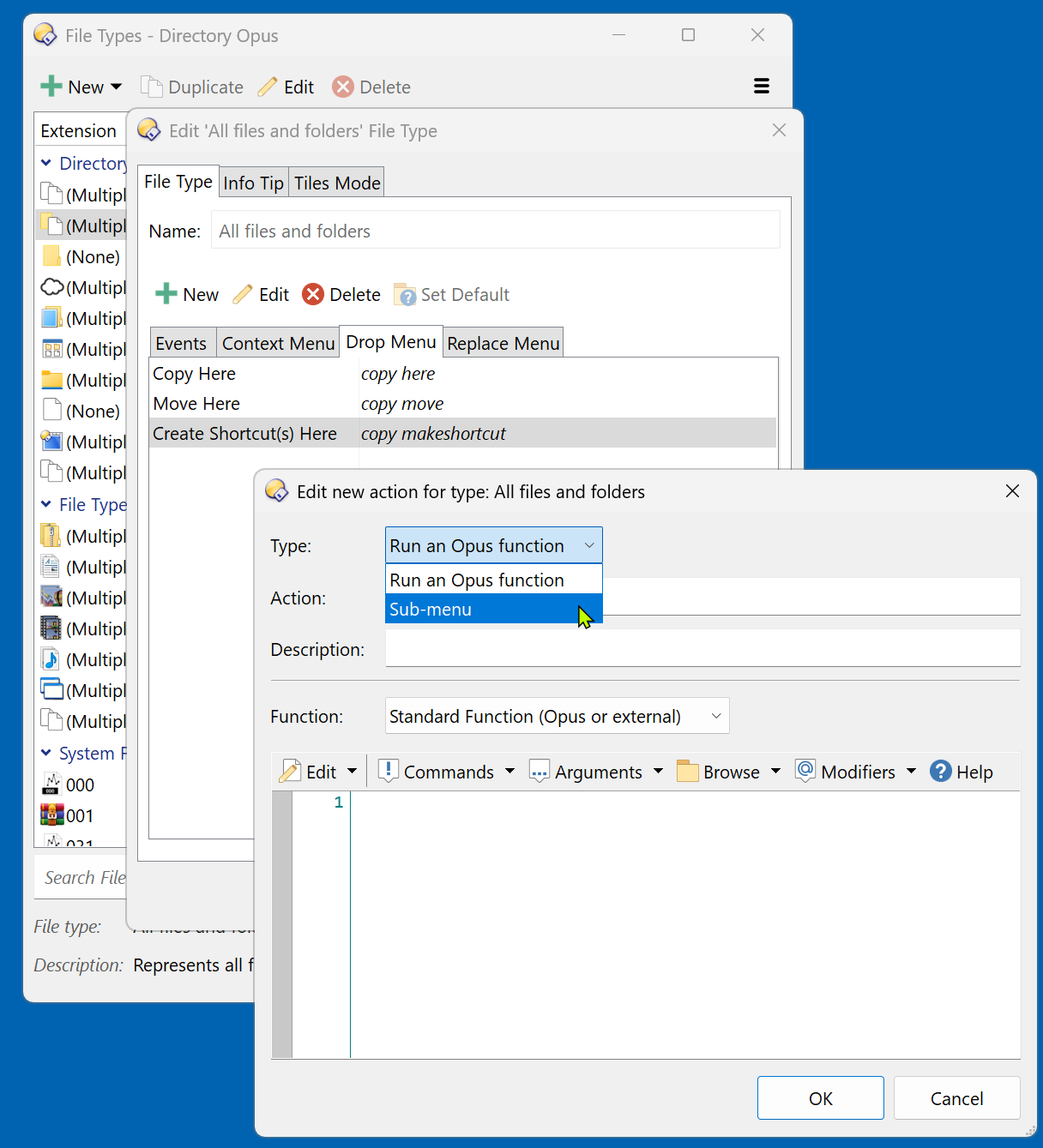
But then, after a few hours, I thought of taking the working version from the first panel for an experiment and trying it out. I did this: Right click + Drag the file to the folder> drop-down menu, created an additional menu in it.
The item “Move”, and there is a subitem with the same code from the first option Go FOLDERCONTENT="nofiles,showempty,copyargs=MOVE" "C:"
It looks like this, but they are not in submenus MOVE TO.
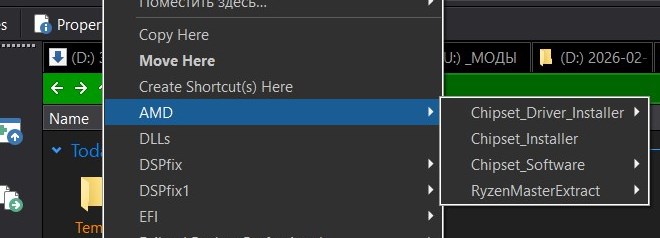
I deleted everything and now I don't remember how I created the submenu. Now I can only create a separate item, and it opens all folders at once.
If I specify a specific path, the menu reveals the contents of the folder exactly as I need it.
But two problems remain.
-
Instead of the hard-coded
"C:\", I need the folder to which I am currently dragging the file to be automatically substituted. That is, the path must be dynamic. -
After selecting a subfolder, the usual transition to it occurs. I would like that when Drag&Drop is active, the file is immediately moved to the selected subfolder, and not just the folder is opened.
——
The ideal behavior would be this:
-
grab the file\folder;
-
drag and drop onto the folder;
-
a drop-down tree of it's subfolders appears;
-
choose the one you need;
-
the file is immediately moved there without changing the current folder.
Or, even better, if at all possible, during Drag&Drop, simply move along with the held file deeper and deeper into the folder tree to the desired final directory.
Is there a way to implement this behavior using Directory Opus? Particularly interested in:
-
how to get the path of the exact folder that Drag&Drop is currently running on;
-
Is it possible to force the menu, when selecting the destination folder, to complete the move operation, and not just perform the transition;
-
is there a way to implement full folder navigation (not in the folder tree) directly while dragging a file.