Installed beta 13.17.4 and it have slowed down the thumbnails showing up, when entering a folder with many subfolders. Some thumbnails are even missing, even though there’s a folder.jpg in the folder.
Worked perfectly until 13.17.4
Which types of files are having problems?
Or is the problem with folder thumbnails? (That's the only time folder.jpg would matter.)
Are you sure 13.17.4 introduced the change and wasn't just a coincidence? Have you checked what any versions before that do? AFAIK we did not change anything related, so the issue may have come from another component on the system changing at the same time. (How likely that is depends a lot on the types of files involved, since some are handled by Opus internally and some depend on external components.)
the problem is only with folder thumbnails, that doesn’t show up. I can have a subfolder that is missing the the thumbnail but if I move the subfolder to another folder, it appears. When I then move the subfolder back, it’s random if the thumbnail appears or not.
I tried clearing the thumbnail cache but the problem still exists.
I didn’t change anything else on the system and only discovered the issue after installing 13.17.4.
I’m 99,9% certain it wasn’t there before
If you install 13.17 is the problem still there?
How do you have Preferences / File Display Modes / Thumbnails / Folders configured?
installed a clean 13.14 and then 13.17.4 whick both works perfectly - until I load my personal configuration. Then the problem appears again. So now I guess I’ll do my personal preferences one at a time, backup and then implement the next. Something I’ve done seem to have messed up the thumbnails.
This is my configuration for Preferences / File Display Modes / Thumbnails / Folders
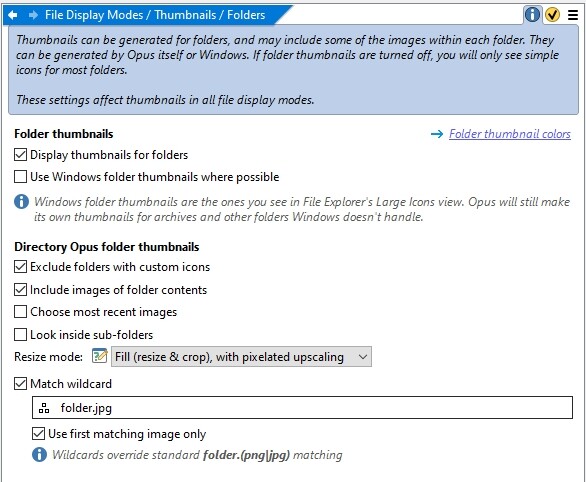
Sorry to mention this but I still have issues with thumbnails - both in a clean 13.14 and the following betas up to 13.17.5
This is what one of my folder with image subfolders look like - the first image is just after opening DO. Second image is what it looks like after I’ve been in and out of some of the folders - and the only way to get the thumbnail back is restarting DO. I have a feeling it could have something to do with the thumbnail cache.
Win explorer, which I hate using after I learned about DO, displays all folders correctly but I just can’t go back to explorer now. Hope you guys can somehow help - just love using DO 


Did you work out which configuration setting made it start happening?
I didn’t - and even a total reset didn’t do any good.
It happens in all versions of 13.17 with or without personalization. I’ve cleaned the cache a few times and it seems to work but only shortly. Then the problem reappears.
Will switch to my old PC tomorrow, install DO and a backup of my folders to see what happens
13.17.4 whick both works perfectly - until I load my personal
What changed since it was working perfectly?
If File Explorer's folder thumbnails work, you can use those in Opus by turning on "Use Windows folder thumbnails where possible" in the folder thumbnail Preferences.
Guess I was just lucky at that point - which I am not anymore.
Will use Win thumbnails for serious work now, while I’m experimenting with settings etc
The folder that has no thumbnail:
- Does that have a folder.jpg in it?
- How many files are inside the folder?
- Are they nested or at the top level, or a mix of both?
- What type(s) of images are they?
What type of folder is in the screenshot? Is this a network drive? Or a collection, library, etc.?
If you turn off the Match Wildcard option, does that make a difference? It's not needed for folder.jpg handling, if that's the only reason it's being used.
yes, there’s a folder.jpg in there - hidden but that’s the same for all folders.
There’s 7 files in the folder, all jpg’s named using a number.
all in the top folder, no nesting in the folder.
It’s a local saved copy of my Google Drive with all picture folders.
have turned off Match Wildcard several times - no difference.
And when using Win thumbnails in DO, the problem appears again.
Made a test setup: 26 folders locally saved, all containing just one jpg file named folder.jpg.
Cleared thumbnail cache
Total reset of DO through Settings. Close down DO totally.
This is my settings in Preferences / File Display Modes / Thumbnails / Folders and Preferences / File Display Modes / Thumbnails / Performance
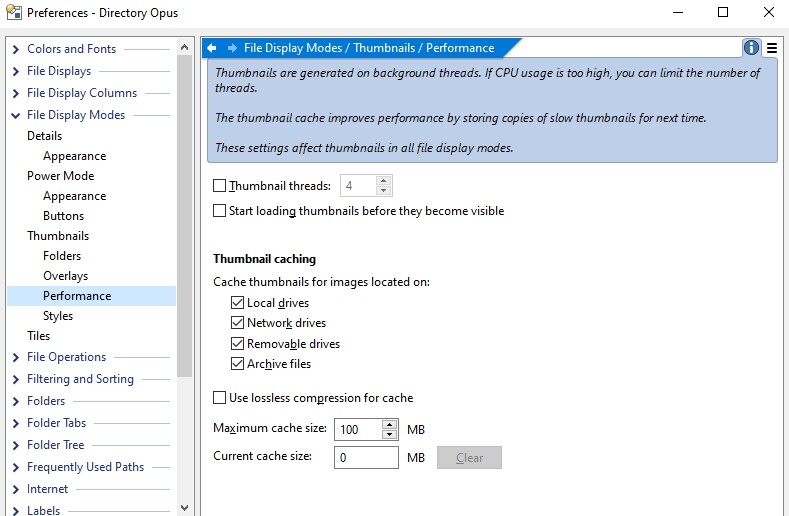
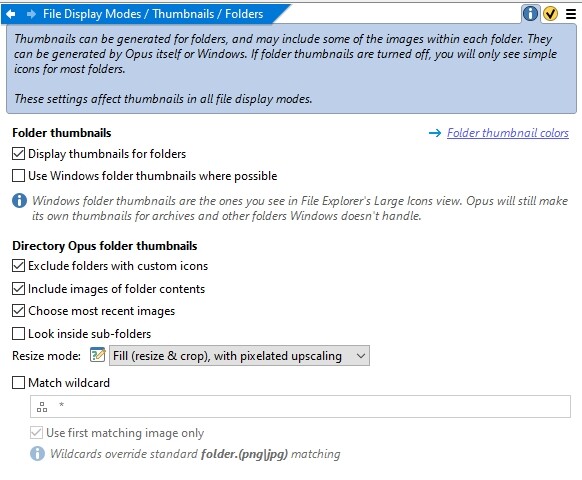
After reset, all 26 folders show the thumbnail perfectly. But after entering 9 subfolder folders and going back to the root this happens:


Wondering if there’s a hardware problem but I’m having no other issues with the PC.
I’m totally mystified and very glad for you trying to help, Leo
Could you upload a zip of those test folders?
sure
Alphabet test.zip (497.4 KB)
Thanks for that, unfortunately we haven't been able to reproduce it here.
When it happens, can you have a look with the Opus Task Manager (Help > Task Manager, or run the command Help TASKMANAGER if you don't have it in your menu) to see if any thumbnail threads look stuck?
Will do - and thanks 
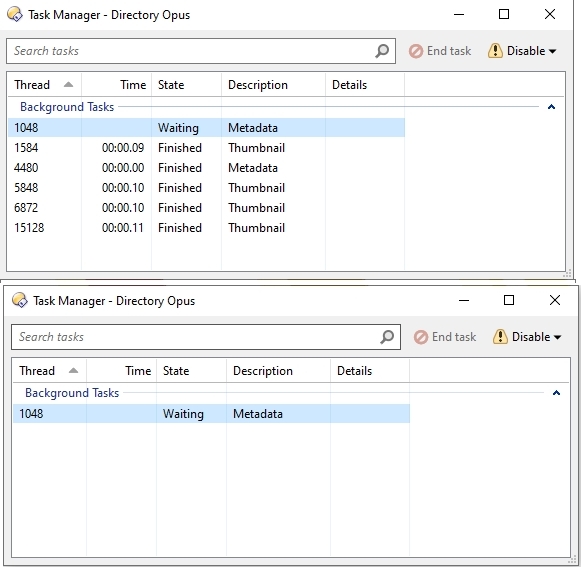
That's normal, and isn't a thumbnail thread. Hmm, puzzling.
Incidentally, the screenshot you posted above doesn't quite match the settings shown - it shows Windows folder thumbnails but in the image above you have those turned off. I assume that you'd turned them on briefly as a test?
yes, have turned Windows thumbnails on.
Will try to install DO on a new PC tomorrow and use my external HD backup of the folders to see what happens. Will let u know as soon as I’m done