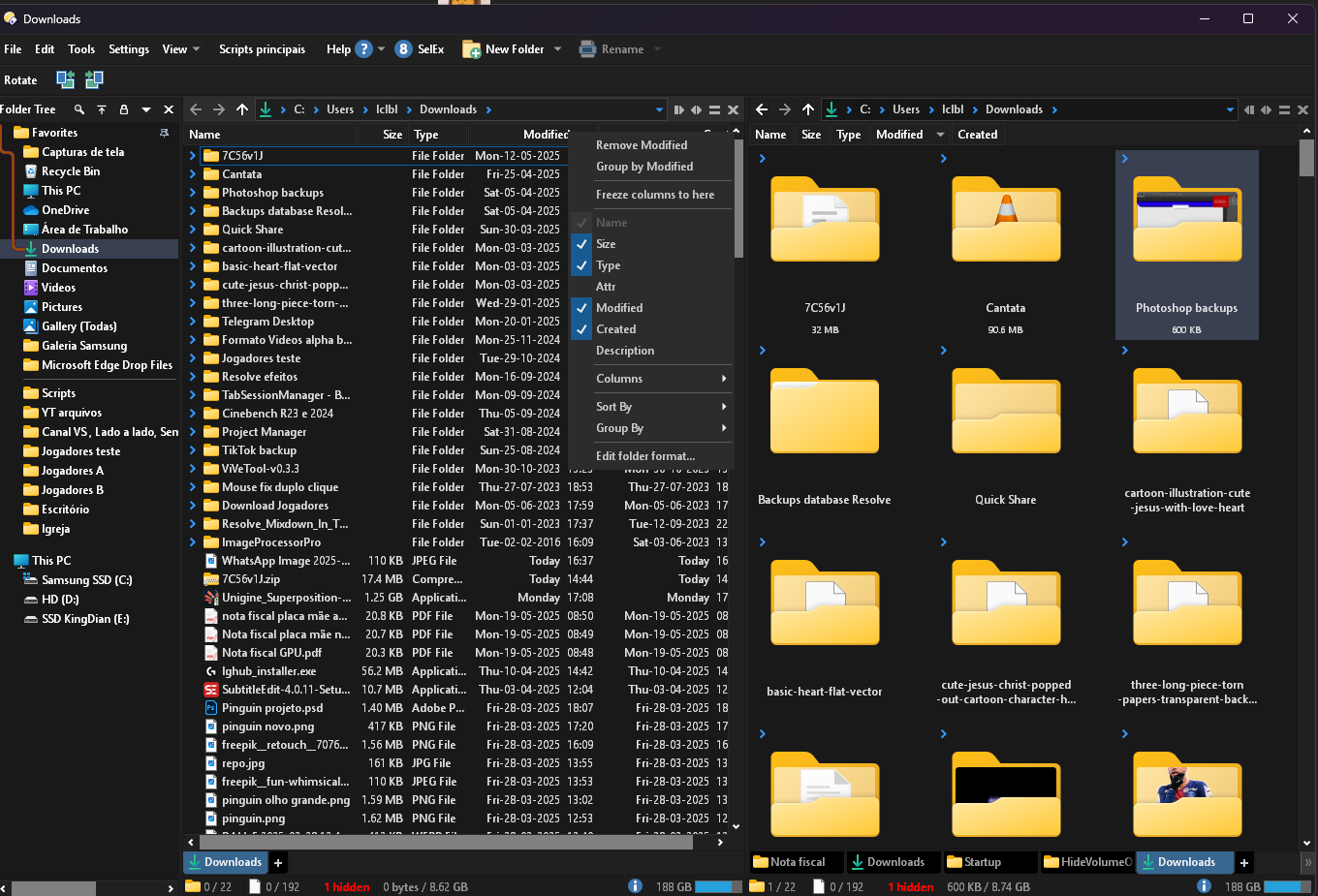
I selected Sort by modified, but it doesn't sort by most recently modified or least recently modified files. The only way to do this is to Group by modified, and even then it fails to show a recently modified file, although it does show others. This behavior doesn't occur in File Explorer.
Interestingly, when sorting by most recently modified, it sorts the files by type (folder, apps, and others).
In this video, I show a zip file created and modified on August 6, 2025. When sorted by modification, it doesn't appear at the top. Furthermore, it appears to group files by type rather than by most recent modification date.
In File Explorer, the behavior is correct, showing the zip file at the top.
Please use Details mode so we can see what the dates are. Otherwise the video tells us very little.
Also, if you're expecting newer files to appear before older folders when sorting by date, you need to turn that on in the folder format's sorting tab. Opus separates files and folders normally. (I think File Explorer does as well, but maybe they changed that since I last used it.)
Notice that the files modified "Today" aren't at the top. I need the most recently modified files to be at the top, respecting the order, instead of placing multiple sorts by file type as they are.