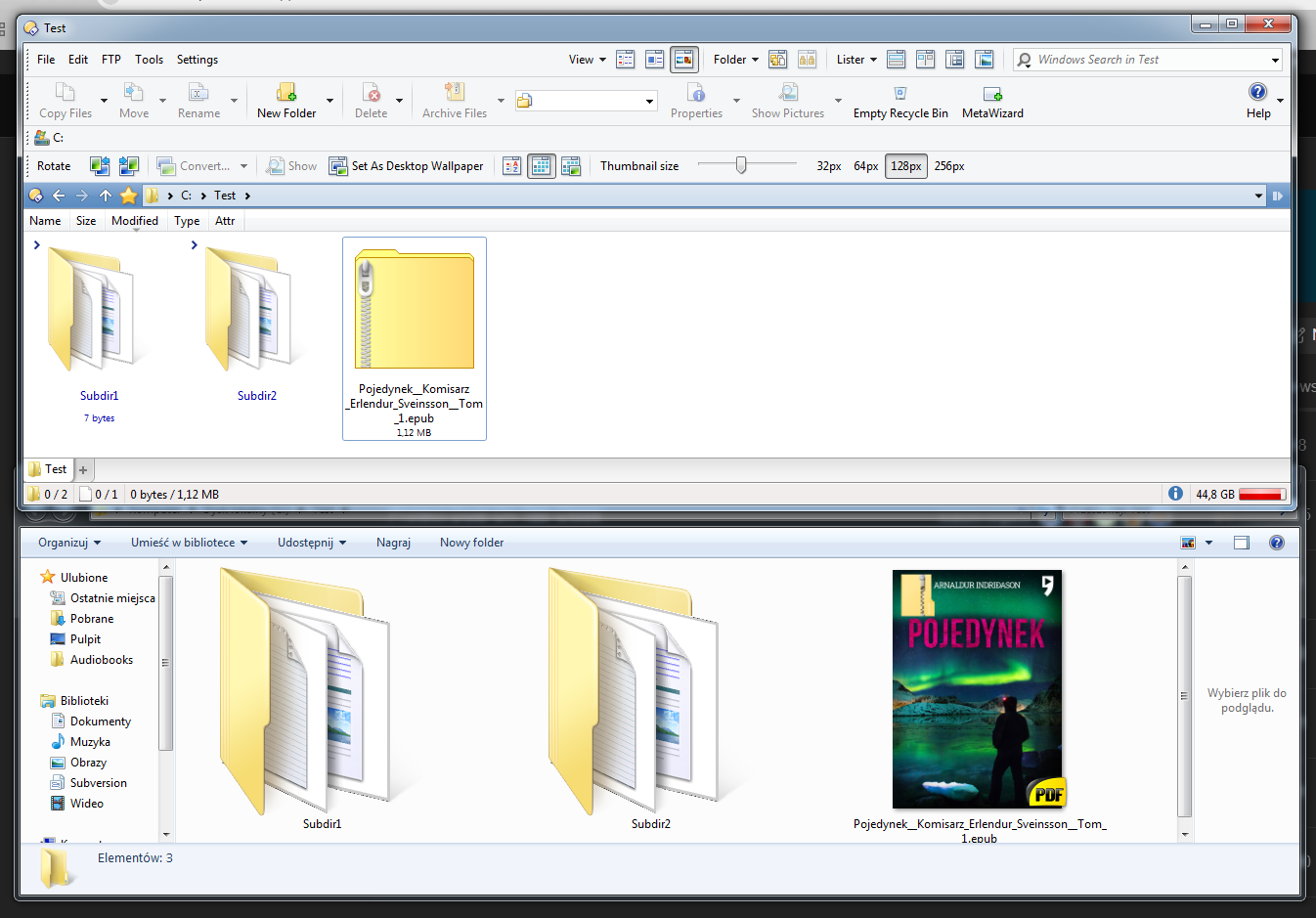
I have a file type EPUB. The extension .epub also belongs to file type group Archives. Enable internal Opus Zip support: is disabled. Zip plugin is enabled and it is configured to handle extensions .epub .jar .zip .zipx .
For the file type EPUB Info Tip is {thumbnail}
Nothing is set in Info Tip for Archives.
Thumbnails for EPUBs are provided via thumbnail provider described here:
I would expect that what is set for individual file type would have a priority over what is set for file type group.
However effect is:
If I remove .epub from list of extensions handled by Zip plugin then I have thumbnail but I do not have the options to extract the archive (epub is a case of zip).
If you add it to CBZ instead of Zip, you get slightly better results, although it's still imperfect. The CBZ handler will use the first image in the archive as the thumbnail. (But that isn't always the cover image for .epub, unfortunately.)
The best solution is probably to not have Opus treat .epub files as zips, and use a tool like 7-Zip to extract them, which it can do right the right-click menu. Then you get the thumbnails and can still extract them easily.
I have tried another approach. Removing .epub extension from Zip plugin and from built-in Zip support at respective Preferences pages, adding .epub to Archives file type group and adding Copy EXTRACT HERE
to context menu of the group.
Effect is that for Epub file its cover thumbnail is displayed but the command from context menu is unable to extract the Epub. If I change the extension to .zip, there is an icon of archive but the command is able to extract the same file.
Sorry for complaining, but now I perceive Archives file type group more as a decoration than usable construct. Because whether file belonging to the group will be extractable or not depends on its filename extension no less than it depends on its content. And the extension needs to be configured in Preferences. Mere adding it to the definition of Archives is not enough nor needed.
But at least one thing could be improved. If some file that is recognized as an archive (according to configuration in Preferences) and exists also as a separate file type, then the icon and possible thumbnail of the separate file type should have a priority over icon of archive.