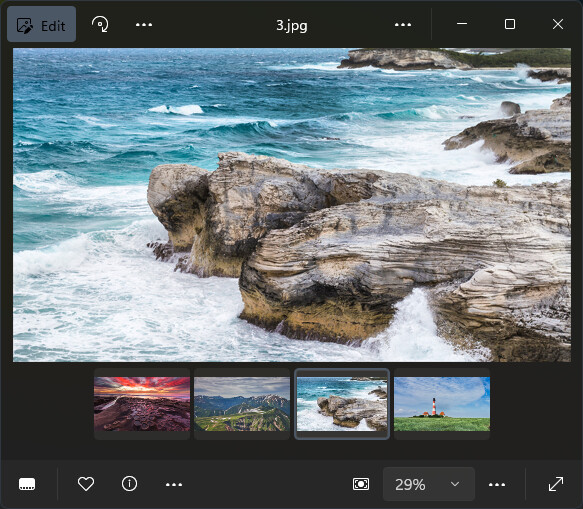
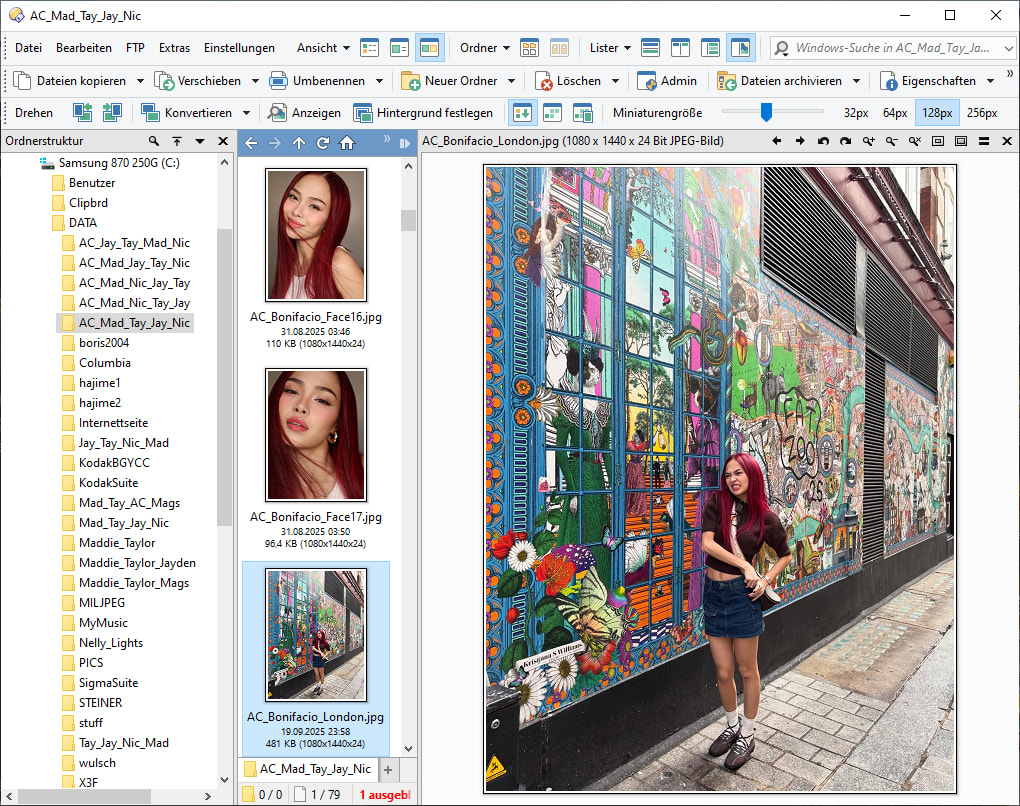
if I wanted to fully replace the Windows 11 Photos app with the integrated image viewer in Directory Opus (which is precisely what I’m aiming for), the only thing I’m still missing is the ability to display previews of all images in a folder as a strip at the bottom — a “thumbnail view” .. “filmstrip”.. : )
Of course, I know that Opus can show thumbnails directly in the panel, but that’s rather inconvenient for viewing full size, since you still have to launch the viewer plugin to enlarge them.
..and maybe another thing that could perhaps be improved: if the window of integrated image viewer is not displayed in full-screen, then in any viewing mode such as “fit to window” or “grow to window,” it always changes the size of the window according to the relative size of the image. This is uncomfortable on the eyes when switching between images of varying sizes.
Thanks for quick reply. I couldn’t find any setting to keep the custom window size fixed, and options like ‘fit to window’ or ‘grow to window’ always resize the window unless it’s fullscreen.
Of course, I might be wrong and the setting may exist somewhere… the number of configuration options in DO (13.20) is on the level of an operating system. : )
It's the Preferences / Viewer / Standalone Viewer / Size and Position / Auto-size viewer window option. (Could not give the exact name before as I wasn't at my PC.)
Re a filmstrip view, you can do that using a lister in thumbnails mode with the viewer pane. If you turn on Preferences / Viewer / Viewer Pane / Options / Expand and scroll then clicking and holding the mouse over the image will make it display full-size (100% zoom) over the top of the window.
Yes, of course, I knew from the start that the option must be there — I never doubted it. : ) I just didn’t expect it to be entirely separate from the viewer’s own settings.
The settings are centralized, then split across individual components, and even the plugins have their own. It gets to the point where you need extra "Help" just to navigate the main program "Help". : P
There's also a "Filmstrip" layout which you can switch to in the Lister menu, which does the same thing but in a single click. (You can modify it further if needed, e.g. to make it also turn off the folder tree or unwanted toolbars.)
For portrait images, this is perfect.
But for landscape images as shown by the other poster you would prefer a horizontal layout with horizontal scroll, and that does not seem to be possible in Thumbnails View mode.
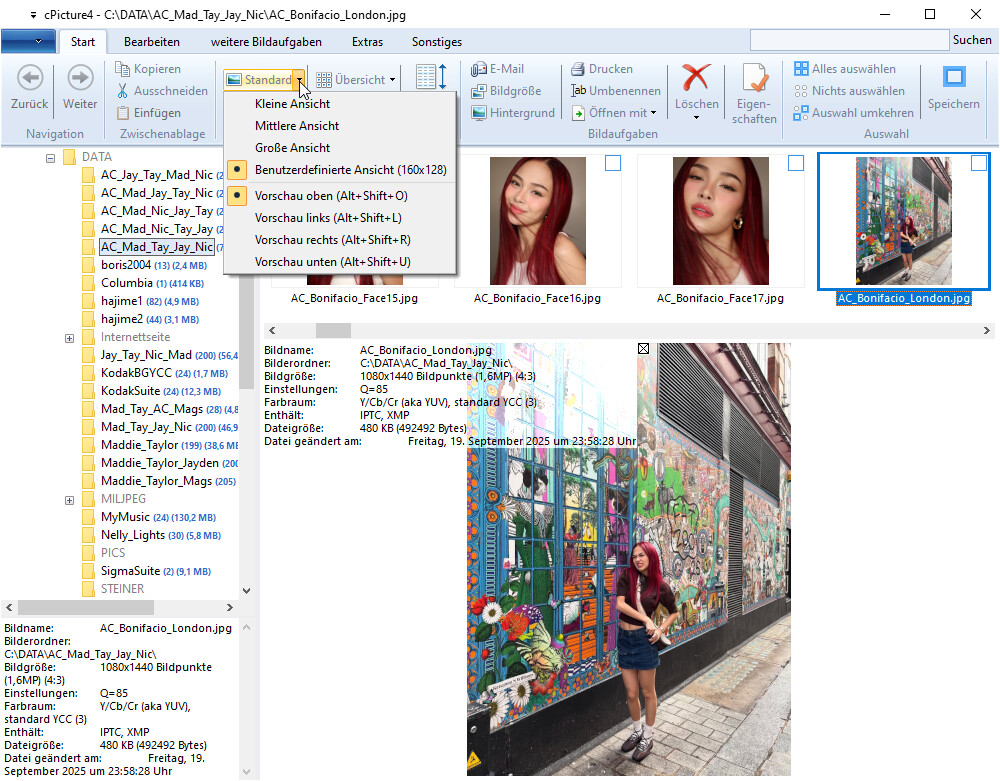
cPicture uses this by default, and you can quickly change from above to left, right, or below position with horizontal or vertical scroll respectively:
Well, cPicture is specific "Windows Photo Explorer", not general file manager.
The "Filmstrip" mode in Opus is also hard to find and configure, because you have to create a custom Lister style, and only then can you see the option in the edit dialog.
You don't have it available in the default Lister menu for direct selection or quick adaption as in cPicture.
Hello,
thanks and I’m aware of that, but I don’t use Lister for viewing images when the integrated Viewer plugin is much more suitable for this purpose (bigger viewer window, rotate and other lots of tools at hand.. etc).
I mainly wanted to point out that it might be worth considering extending this plugin with features that have been regarded as standard for years… especially now that even Microsoft has incorporated them into its own applications… : )
This discussion has drifted completely away from the original point. The intention is for this feature to be part of the built‑in Dopus viewer plugin, not handled through unnecessary additional external applications.
The "unnecessary additional external applications" were given for the Directory Opus developers as a reference to improve their application with the desired feature, which is completely on the point.
They can now see the different desires and figure out an appropriate way to achieve them.