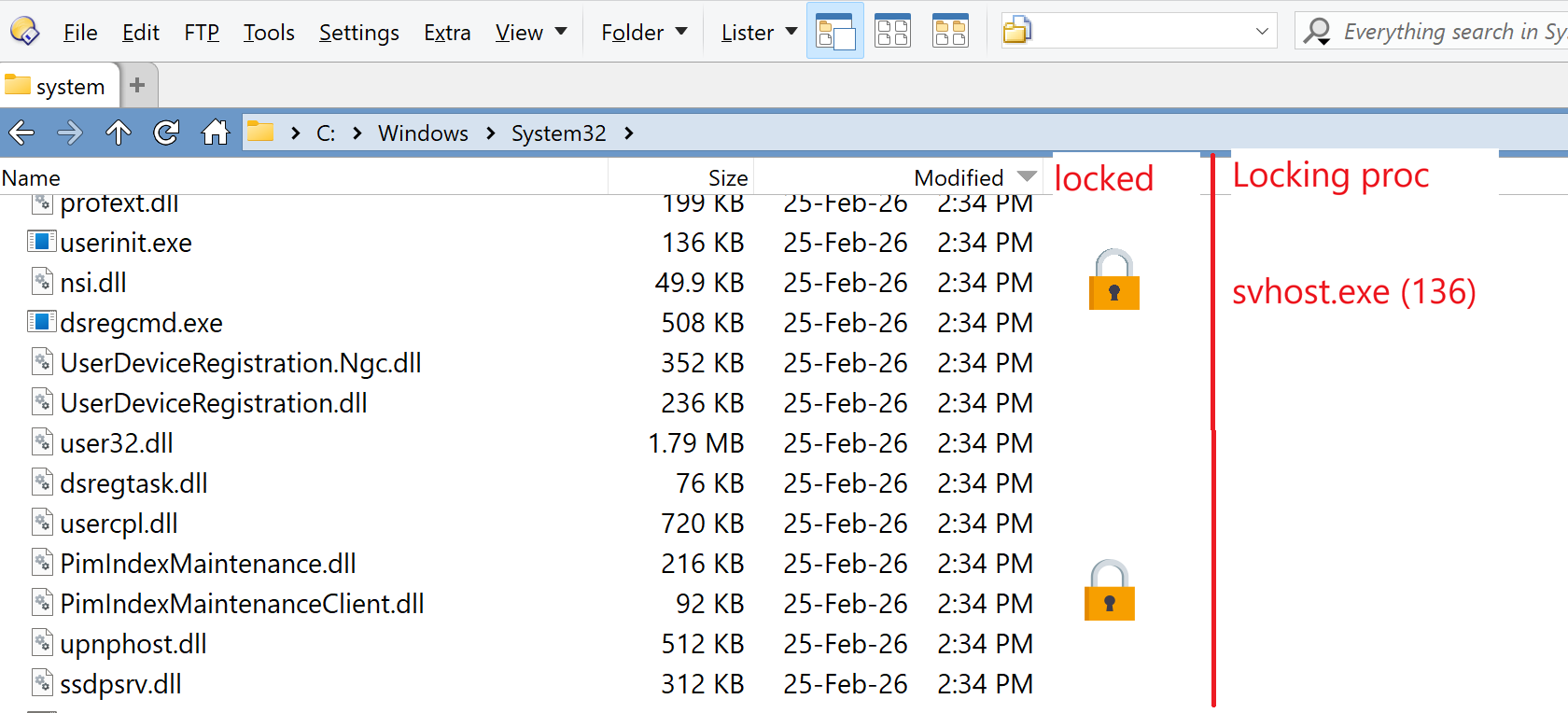
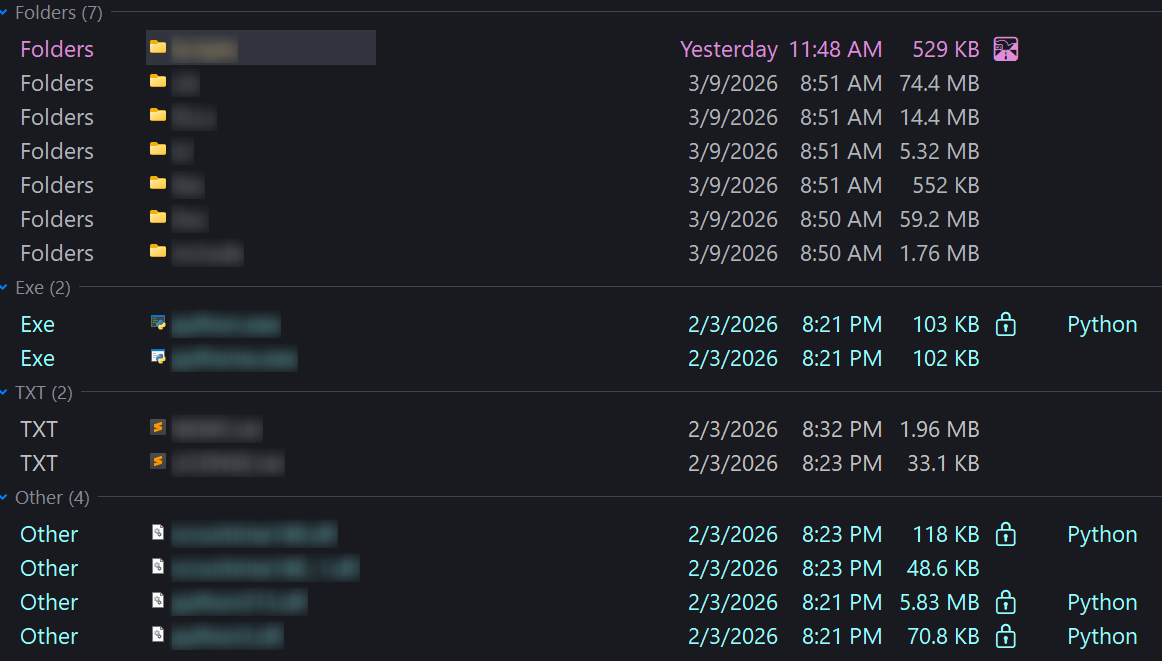
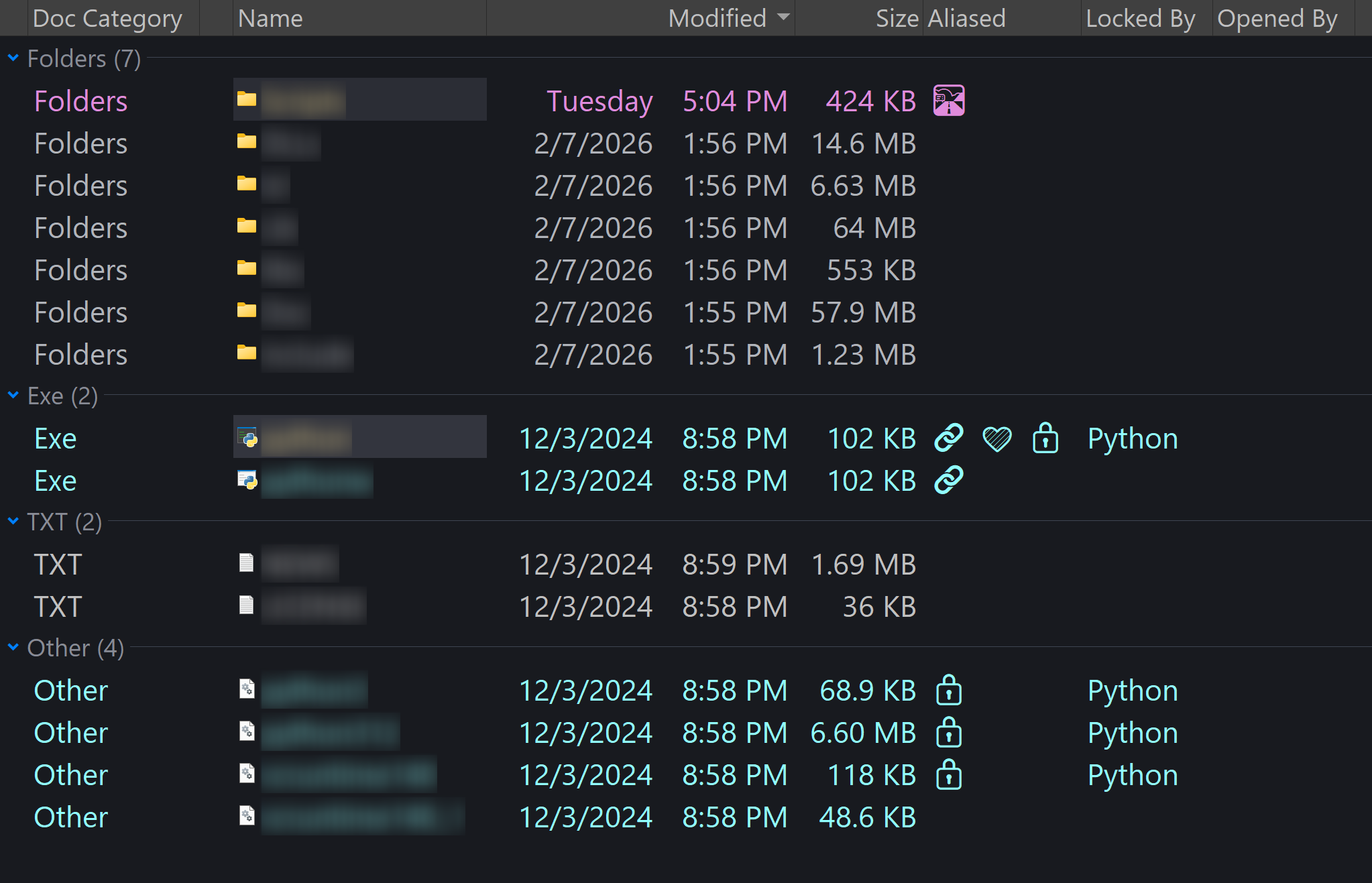
This python helper works for me. I've added it to my visual indicators script, alongside an indicator for path variables.
#!/usr/bin/env python3
# C:\Utilities\lock_check.py
#
# Batched lock checker for Directory Opus
#
# Usage:
#   python lock_check.py "C:\Temp\lock_input.txt" "C:\Temp\lock_output.txt"
#
# Input file:
#   One full file path per line
#
# Output file:
#   One result per line in this format:
#   <full-path>|<0-or-1-or-?>|<process names>
#
# Examples:
#   C:\Temp\a.txt|1|Microsoft Word
#   C:\Temp\b.txt|0|
#   C:\Temp\c.txt|?|
#
# Debug log:
#   C:\Utilities\lock_check.log

from __future__ import annotations

import ctypes
from ctypes import wintypes
import datetime as dt
import os
import sys
import traceback
import uuid

CCH_RM_MAX_APP_NAME = 255
CCH_RM_MAX_SVC_NAME = 63
CCH_RM_SESSION_KEY = 32 + 1  # include null terminator

ERROR_SUCCESS = 0
ERROR_MORE_DATA = 234

LOG_PATH = r"C:\Utilities\lock_check.log"

rstrtmgr = ctypes.WinDLL("rstrtmgr", use_last_error=True)


# ------------------------------------------------------------
# Logging
# ------------------------------------------------------------
def log(msg: str) -> None:
    try:
        ts = dt.datetime.now().strftime("%Y-%m-%d %H:%M:%S.%f")[:-3]
        with open(LOG_PATH, "a", encoding="utf-8") as f:
            f.write(f"[{ts}] {msg}\n")
    except Exception:
        pass


def log_exception(prefix: str) -> None:
    try:
        log(prefix)
        log(traceback.format_exc().rstrip())
    except Exception:
        pass


# ------------------------------------------------------------
# Restart Manager structs
# ------------------------------------------------------------
class FILETIME(ctypes.Structure):
    _fields_ = [
        ("dwLowDateTime", wintypes.DWORD),
        ("dwHighDateTime", wintypes.DWORD),
    ]


class RM_UNIQUE_PROCESS(ctypes.Structure):
    _fields_ = [
        ("dwProcessId", wintypes.DWORD),
        ("ProcessStartTime", FILETIME),
    ]


class RM_PROCESS_INFO(ctypes.Structure):
    _fields_ = [
        ("Process", RM_UNIQUE_PROCESS),
        ("strAppName", wintypes.WCHAR * (CCH_RM_MAX_APP_NAME + 1)),
        ("strServiceShortName", wintypes.WCHAR * (CCH_RM_MAX_SVC_NAME + 1)),
        ("ApplicationType", wintypes.DWORD),
        ("AppStatus", wintypes.ULONG),
        ("TSSessionId", wintypes.DWORD),
        ("bRestartable", wintypes.BOOL),
    ]


rstrtmgr.RmStartSession.argtypes = [
    ctypes.POINTER(wintypes.DWORD),
    wintypes.DWORD,
    wintypes.LPWSTR,
]
rstrtmgr.RmStartSession.restype = wintypes.DWORD

rstrtmgr.RmRegisterResources.argtypes = [
    wintypes.DWORD,
    wintypes.UINT,
    ctypes.POINTER(wintypes.LPCWSTR),
    wintypes.UINT,
    ctypes.c_void_p,
    wintypes.UINT,
    ctypes.c_void_p,
]
rstrtmgr.RmRegisterResources.restype = wintypes.DWORD

rstrtmgr.RmGetList.argtypes = [
    wintypes.DWORD,
    ctypes.POINTER(wintypes.UINT),
    ctypes.POINTER(wintypes.UINT),
    ctypes.POINTER(RM_PROCESS_INFO),
    ctypes.POINTER(wintypes.DWORD),
]
rstrtmgr.RmGetList.restype = wintypes.DWORD

rstrtmgr.RmEndSession.argtypes = [wintypes.DWORD]
rstrtmgr.RmEndSession.restype = wintypes.DWORD


# ------------------------------------------------------------
# Helpers
# ------------------------------------------------------------
def winmsg(code: int) -> str:
    try:
        return ctypes.FormatError(code).strip()
    except Exception:
        return f"Win32 error {code}"


def ensure_parent_dir(path: str) -> None:
    parent = os.path.dirname(path)
    if parent:
        os.makedirs(parent, exist_ok=True)


def read_input_paths(input_file: str) -> list[str]:
    log(f"Reading input file: {input_file!r}")

    with open(input_file, "rb") as f:
        raw = f.read()

    if raw.startswith(b"\xff\xfe") or raw.startswith(b"\xfe\xff"):
        text = raw.decode("utf-16")
        log("Input file decoded as UTF-16")
    elif raw.startswith(b"\xef\xbb\xbf"):
        text = raw.decode("utf-8-sig")
        log("Input file decoded as UTF-8 with BOM")
    else:
        try:
            text = raw.decode("utf-8")
            log("Input file decoded as UTF-8")
        except UnicodeDecodeError:
            text = raw.decode("utf-16")
            log("Input file decoded as UTF-16 (fallback)")

    raw_lines = text.splitlines()

    paths: list[str] = []
    for raw_line in raw_lines:
        line = raw_line.rstrip("\r\n")
        if not line.strip():
            continue
        paths.append(line)

    log(f"Input paths loaded: {len(paths)}")
    return paths


def write_output_lines(output_file: str, lines: list[str]) -> None:
    log(f"Writing output file: {output_file!r} with {len(lines)} lines")
    ensure_parent_dir(output_file)
    with open(output_file, "w", encoding="utf-16", newline="\n") as f:
        for line in lines:
            f.write(line + "\n")


def sanitize_field(text: str) -> str:
    return (text or "").replace("\r", " ").replace("\n", " ").replace("|", "/").strip()


def unique_preserve_order(values: list[str]) -> list[str]:
    seen: set[str] = set()
    out: list[str] = []
    for v in values:
        key = v.casefold()
        if key in seen:
            continue
        seen.add(key)
        out.append(v)
    return out


# ------------------------------------------------------------
# Core lock probing
# ------------------------------------------------------------
def probe_lock(path: str) -> tuple[str, str]:
    """
    Returns:
        state: "1" if locked, "0" if unlocked, "?" on probe failure
        process_names: semicolon-separated locking process names, or empty string
    """
    log(f"probe_lock raw path: {path!r}")

    if not path:
        log("probe_lock: empty path")
        return "0", ""

    if not os.path.exists(path):
        log("probe_lock: path does not exist")
        return "0", ""

    if os.path.isdir(path):
        log("probe_lock: path is a directory; skipping")
        return "0", ""

    abs_path = os.path.abspath(path)
    log(f"absolute path: {abs_path!r}")

    session_handle = wintypes.DWORD(0)
    session_key_buf = ctypes.create_unicode_buffer(str(uuid.uuid4()).replace("-", ""), CCH_RM_SESSION_KEY)
    log(f"session key: {session_key_buf.value}")

    session_started = False
    try:
        rv = rstrtmgr.RmStartSession(ctypes.byref(session_handle), 0, session_key_buf)
        log(f"RmStartSession rv={rv}, handle={session_handle.value}")
        if rv != ERROR_SUCCESS:
            log(f"RmStartSession failed: {winmsg(rv)}")
            return "?", ""

        session_started = True

        resources = (wintypes.LPCWSTR * 1)()
        resources[0] = abs_path

        rv = rstrtmgr.RmRegisterResources(
            session_handle,
            1,
            resources,
            0,
            None,
            0,
            None,
        )
        log(f"RmRegisterResources rv={rv}")
        if rv != ERROR_SUCCESS:
            log(f"RmRegisterResources failed: {winmsg(rv)}")
            return "?", ""

        needed = wintypes.UINT(0)
        count = wintypes.UINT(0)
        reboot_reasons = wintypes.DWORD(0)

        rv = rstrtmgr.RmGetList(
            session_handle,
            ctypes.byref(needed),
            ctypes.byref(count),
            None,
            ctypes.byref(reboot_reasons),
        )
        log(
            "RmGetList(size) rv=%s, needed=%s, count=%s, reboot_reasons=%s"
            % (rv, needed.value, count.value, reboot_reasons.value)
        )

        if rv == ERROR_SUCCESS and needed.value == 0:
            log("RmGetList returned ERROR_SUCCESS on size query => unlocked")
            return "0", ""

        if rv not in (ERROR_MORE_DATA, ERROR_SUCCESS):
            log(f"RmGetList(size) failed: {winmsg(rv)}")
            return "?", ""

        if needed.value == 0:
            log("RmGetList(size) reports zero needed => unlocked")
            return "0", ""

        proc_array = (RM_PROCESS_INFO * needed.value)()
        count = wintypes.UINT(needed.value)

        rv = rstrtmgr.RmGetList(
            session_handle,
            ctypes.byref(needed),
            ctypes.byref(count),
            proc_array,
            ctypes.byref(reboot_reasons),
        )
        log(
            "RmGetList(data) rv=%s, needed=%s, count=%s, reboot_reasons=%s"
            % (rv, needed.value, count.value, reboot_reasons.value)
        )

        if rv != ERROR_SUCCESS:
            log(f"RmGetList(data) failed: {winmsg(rv)}")
            return "?", ""

        names: list[str] = []
        for i in range(count.value):
            info = proc_array[i]
            app_name = sanitize_field(info.strAppName)
            svc_name = sanitize_field(info.strServiceShortName)
            pid = int(info.Process.dwProcessId)

            chosen = app_name or svc_name or f"PID {pid}"
            names.append(chosen)

            log(
                "locker[%d]: pid=%s app=%r svc=%r chosen=%r"
                % (i, pid, app_name, svc_name, chosen)
            )

        names = unique_preserve_order(names)
        joined = "; ".join(names)

        if count.value > 0:
            log(f"result => LOCKED|1|{joined}")
            return "1", joined

        log("result => UNLOCKED|0|")
        return "0", ""

    except Exception:
        log_exception(f"probe_lock exception for {abs_path!r}")
        return "?", ""

    finally:
        if session_started:
            try:
                rv = rstrtmgr.RmEndSession(session_handle)
                log(f"RmEndSession rv={rv}, handle={session_handle.value}")
            except Exception:
                log_exception("RmEndSession exception")


# ------------------------------------------------------------
# Main
# ------------------------------------------------------------
def main() -> int:
    try:
        log("----- start -----")
        log(f"argv={sys.argv!r}")
        log(f"python={sys.executable!r}")
        log(f"cwd={os.getcwd()!r}")

        if len(sys.argv) != 3:
            log("Invalid argument count. Expected: input_file output_file")
            return 1

        input_file = sys.argv[1]
        output_file = sys.argv[2]

        paths = read_input_paths(input_file)
        out_lines: list[str] = []

        for path in paths:
            try:
                state, names = probe_lock(path)
                out_line = f"{sanitize_field(path)}|{state}|{sanitize_field(names)}"
                out_lines.append(out_line)
            except Exception:
                log_exception(f"Unhandled per-file failure for {path!r}")
                out_lines.append(f"{sanitize_field(path)}|?|")

        write_output_lines(output_file, out_lines)
        log("----- end -----")
        return 0

    except Exception:
        log_exception("Fatal error in main")
        return 1


if __name__ == "__main__":
    sys.exit(main())

 .
.