DISCLAIMER: I am a file management hobbyist. Managing files of any type is NOT my profession. I discovered Directory Opus in 2006 and have used it ever since. It meets 98% of my file management needs. On those few occasions I need something DOpus doesn't provide, I turn to OneCommander or Nemo Documents.
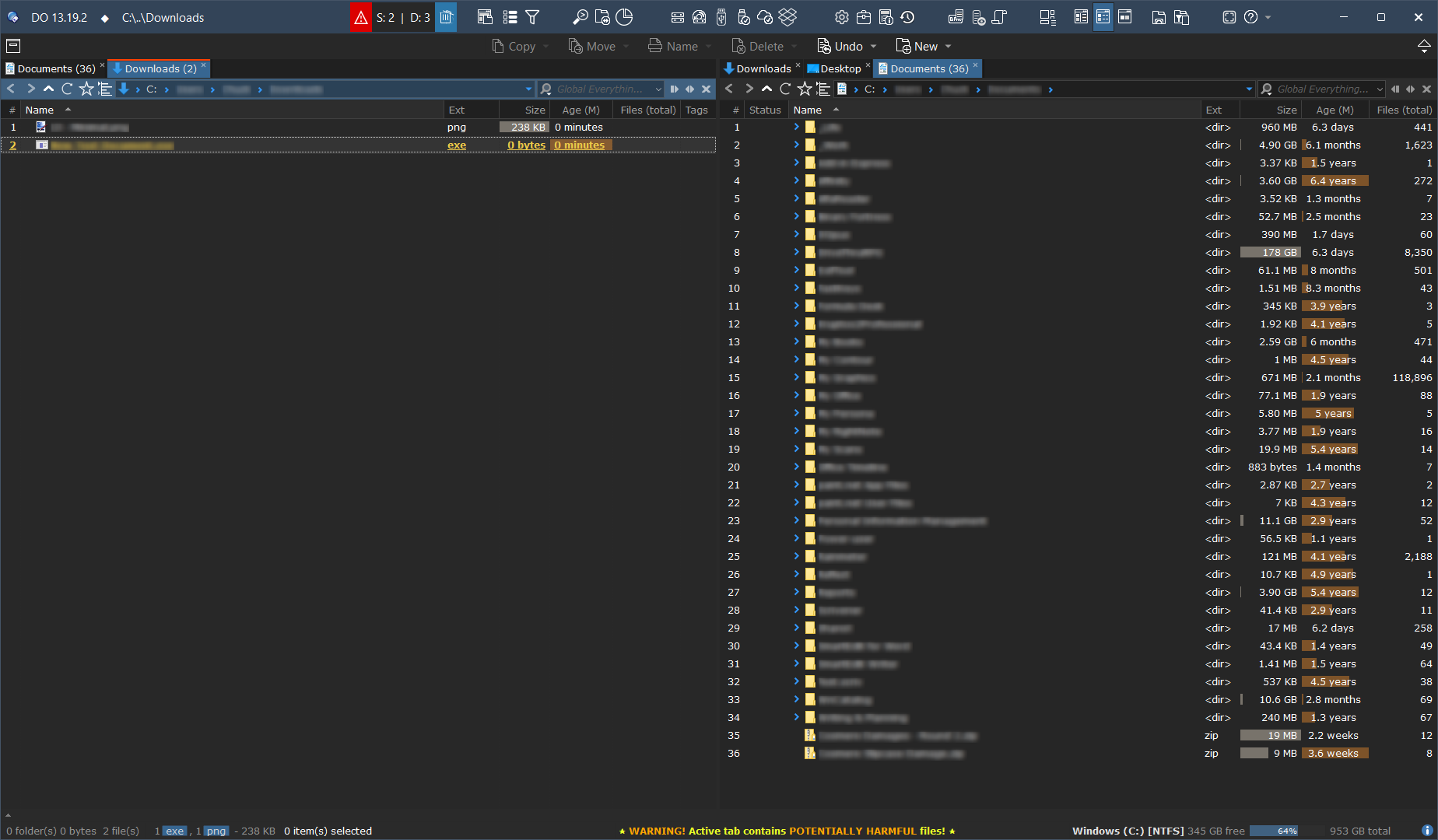
Following up on some recent questions regarding my prior set up here, I thought I would post my latest set up. It takes advantage of several v13 features including the toolbar in the title bar, evaluator buttons, and @hideif functionality
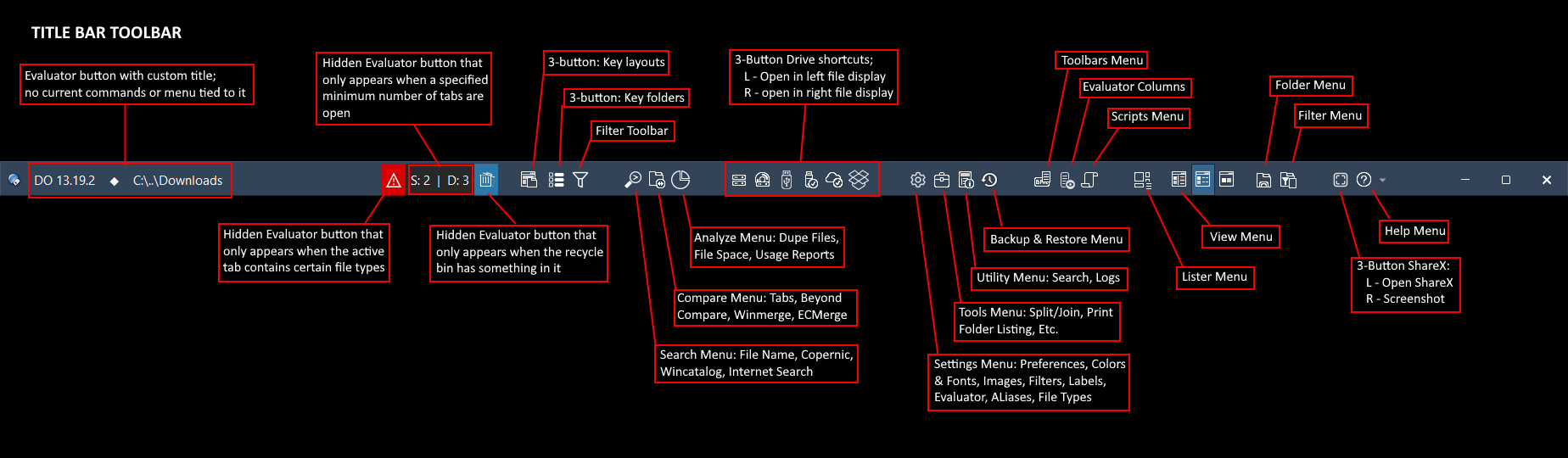
Title Bar Toolbar: Used in all my layouts. Provides continuous access to all key functions and apps, and serves as a mini Status Bar. This is a real space saver!
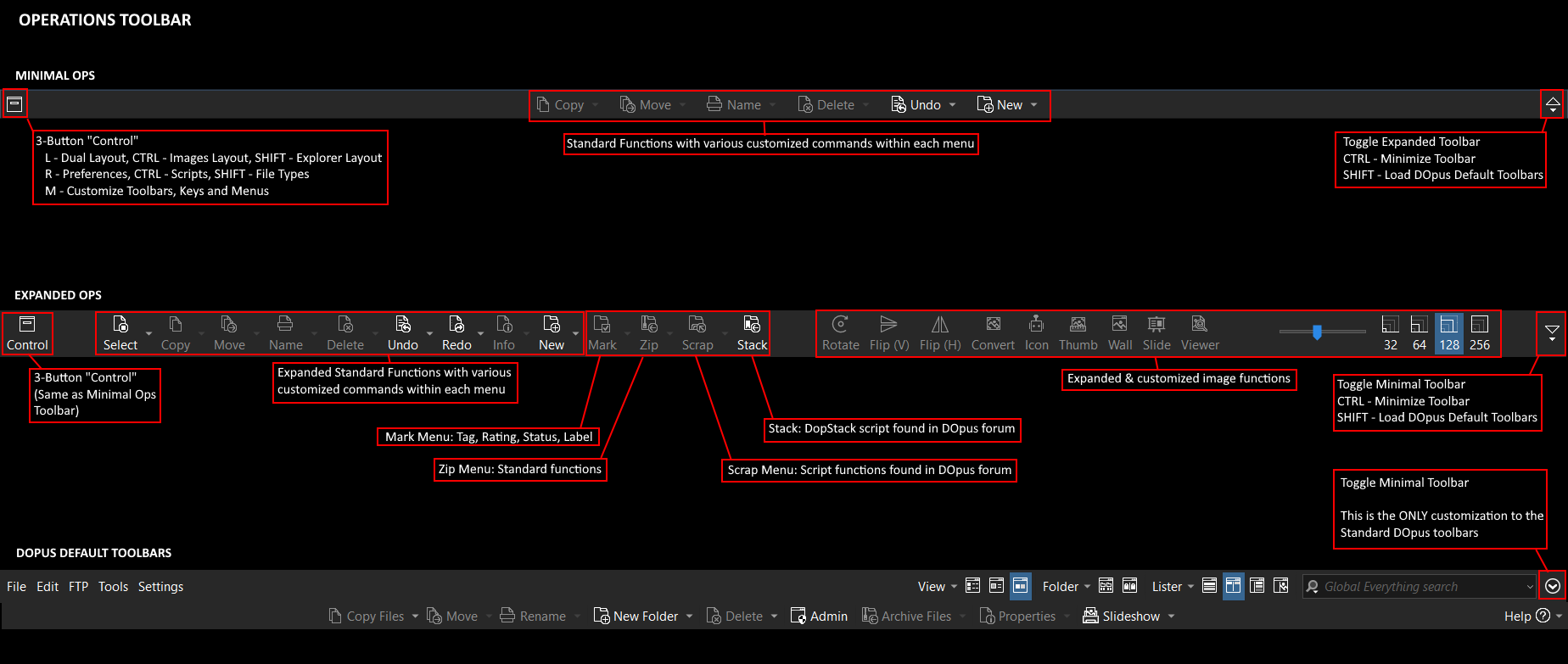
Operations Toolbar: Heavily customized to save space while providing access to key operational functions depending on the folder format and files in work
Tabs: Have scripts that track both item counts in each tab and identify if the tab contains certain file types. Works well with the mini Status Bar indicator in the Title Bar Toolbar
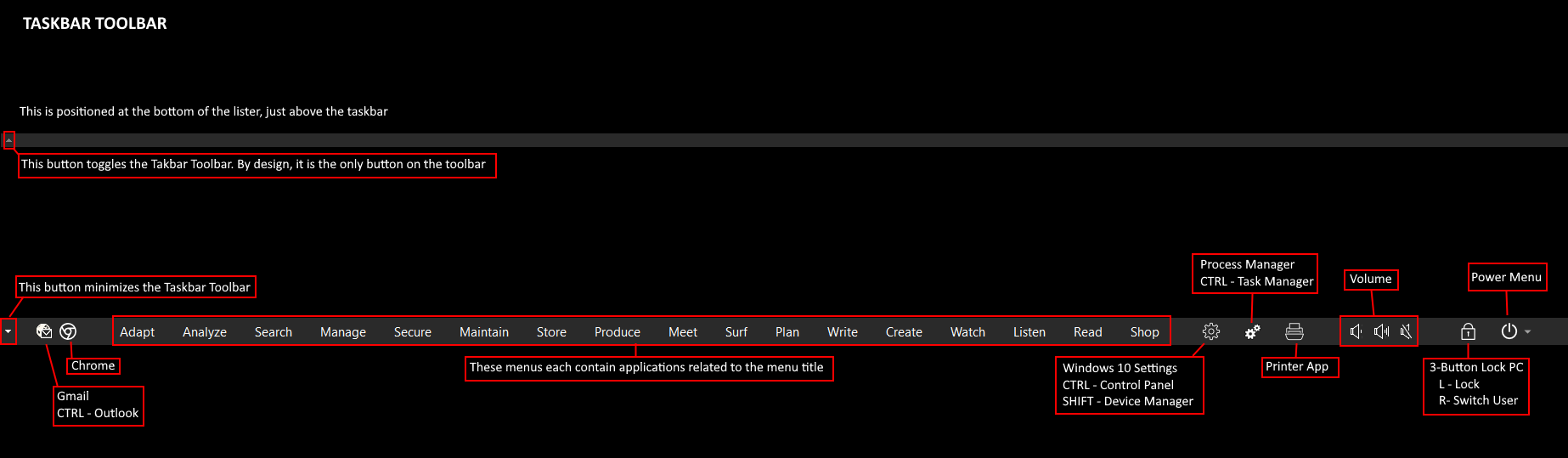
Taskbar Toolbar: This is located at the bottom of the lister just above the Status Bar. It has categorized application menus, as well as buttons to particular support applications. I have it set on minimized unless needed, then can be toggled to show the full toolbar as needed.
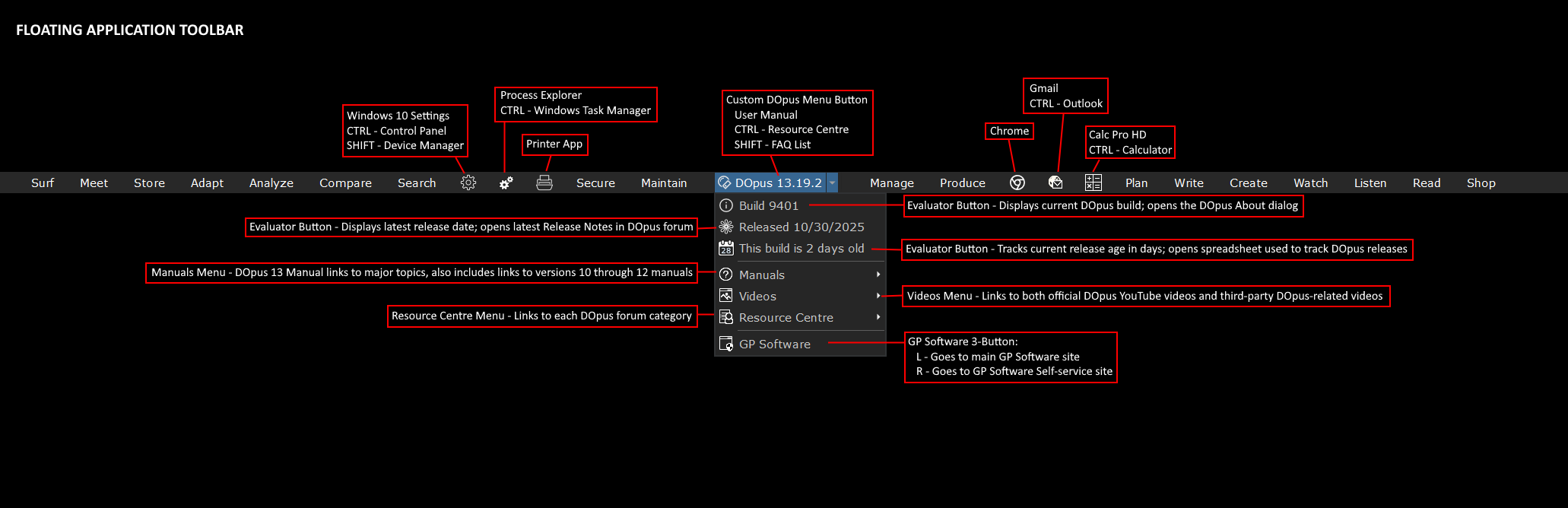
Floating Apps Toolbar: This is located at the top of my 43" 4K monitor (my main monitor), set to autohide, and mostly mimics the Taskbar Toolbar. It also includes quick access to DOpus info, help, tutorials, and support.
Interesting, I did not know you can put a toolbar in the title bar. Not that I would do that, but some features obviously fly by without me noticing, even though I read most change logs! o))
@hideif:Set RECYCLEBINEMPTY
@keydown:none
@icon:C:\Users\Chuck\AppData\Roaming\GPSoftware\Directory Opus\User Data\Icons\Line\Trash_Empty_22.png,RECYCLEBINEMPTY
@ifset:RECYCLEBINEMPTY
@confirm The recycle bin is empty!
@ifset:else
Delete EMPTYRECYCLE
Play "C:\Windows\Media\Recycle.wav" QUIET
@keydown:Ctrl
Go /trash
Hey, I saw these Evaluator buttons in your last screenshot: Build 9401, Released 10/30/2025, and This build is 2 days old.
They are interesting, and how are they implemented? Is it via @label? Could you share the Evaluator expressions for these three? Thanks!
Bro I've got a brain boner looking at this. You are on a whole higher level than silly old me, You deserve an honorable doctorate in Directory Opus for this masterpiece.
I wanted to ask as well what was the 2% function t hat DO doesn't cover? The stuff you mentioned OneCommander and and Nemo Docs (<--Never heard of this, looking into now) over.
Everything I shared is due to some really smart people around here helping me figure it out.
And OCD...
The 2% is really more about view and flow.
Nemo Docs has no traditional file manager functions. It simply provides a calendar view of files created, modiified or accessed that I find helpful at times.
OneCommander is a traditional file manager whose claim to fame is Miller columns. I find this flow occasionally helpful. It otherwise offers nothing that can't already be done in a basic DOpus setup.