I use a number of metadata fields not shown in the default metadata for image files (e.g., Job Identifier, Instructions, Source, and others). Is it possible to have those displayed in DOpus?
I save files as TIF whenever possible but a number of my files are too large and I have to save them as Photoshop PSB (large image format) files. The metadata viewer doesn't show anything other than date created, date modified, comment, rating, and tags. Is it possible for Opus to read more metadata from PSB files?
Tom,
ISTP includes some very specific metadata fields. I've never even seen software that displays ISTP fields.
IPTC has those fields. Can you use IPTC?
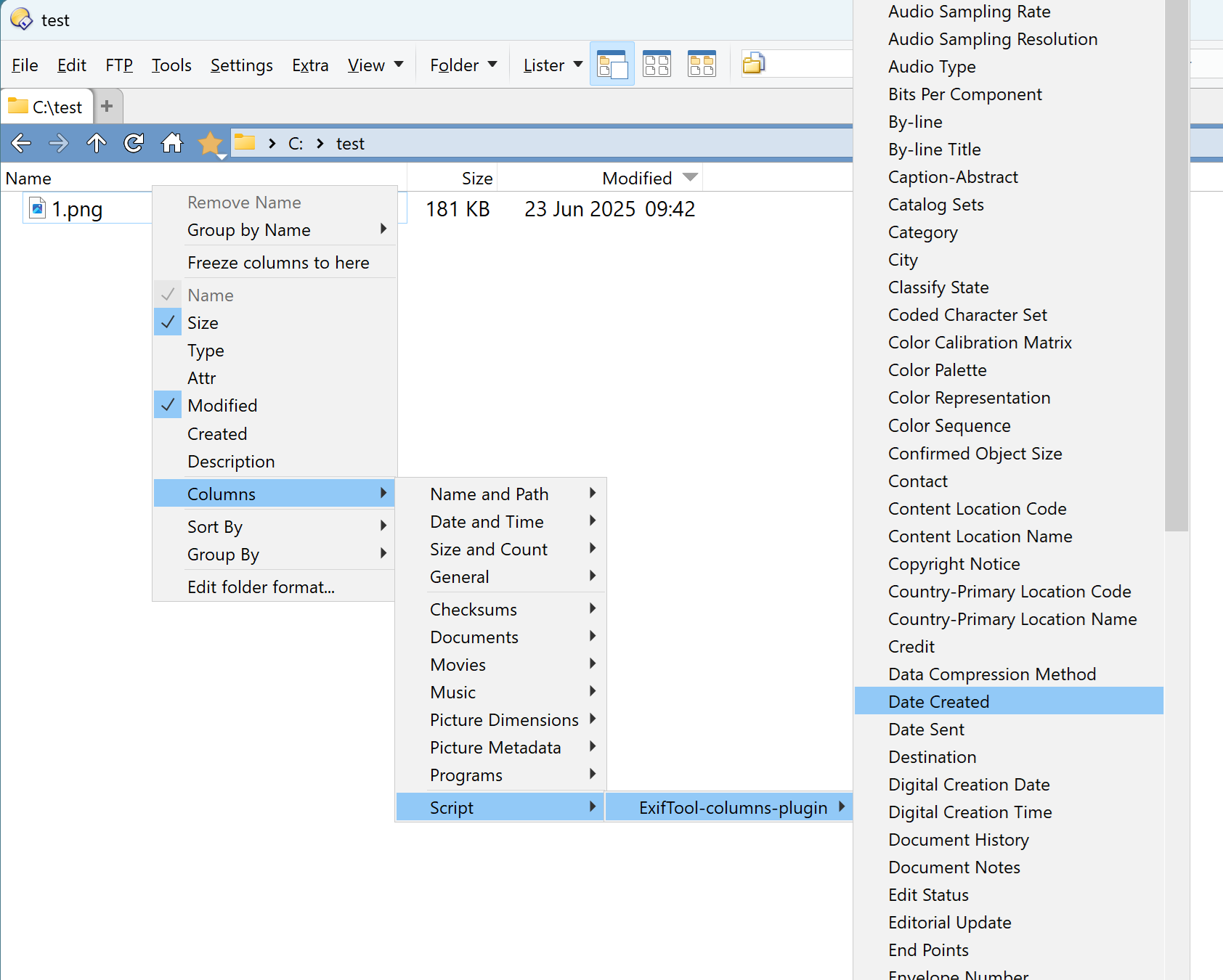
To view IPTC fields that DOpus does not support, I use the ExifTool Custom Columns Plugin and customize the script to add fields I need.
Metadata fields added with the Script/Plugin can then be added/viewed in columns.
BUT, I know nothing about PSB files and their metadata compatibility.
Have you tried Photo Mechanic?
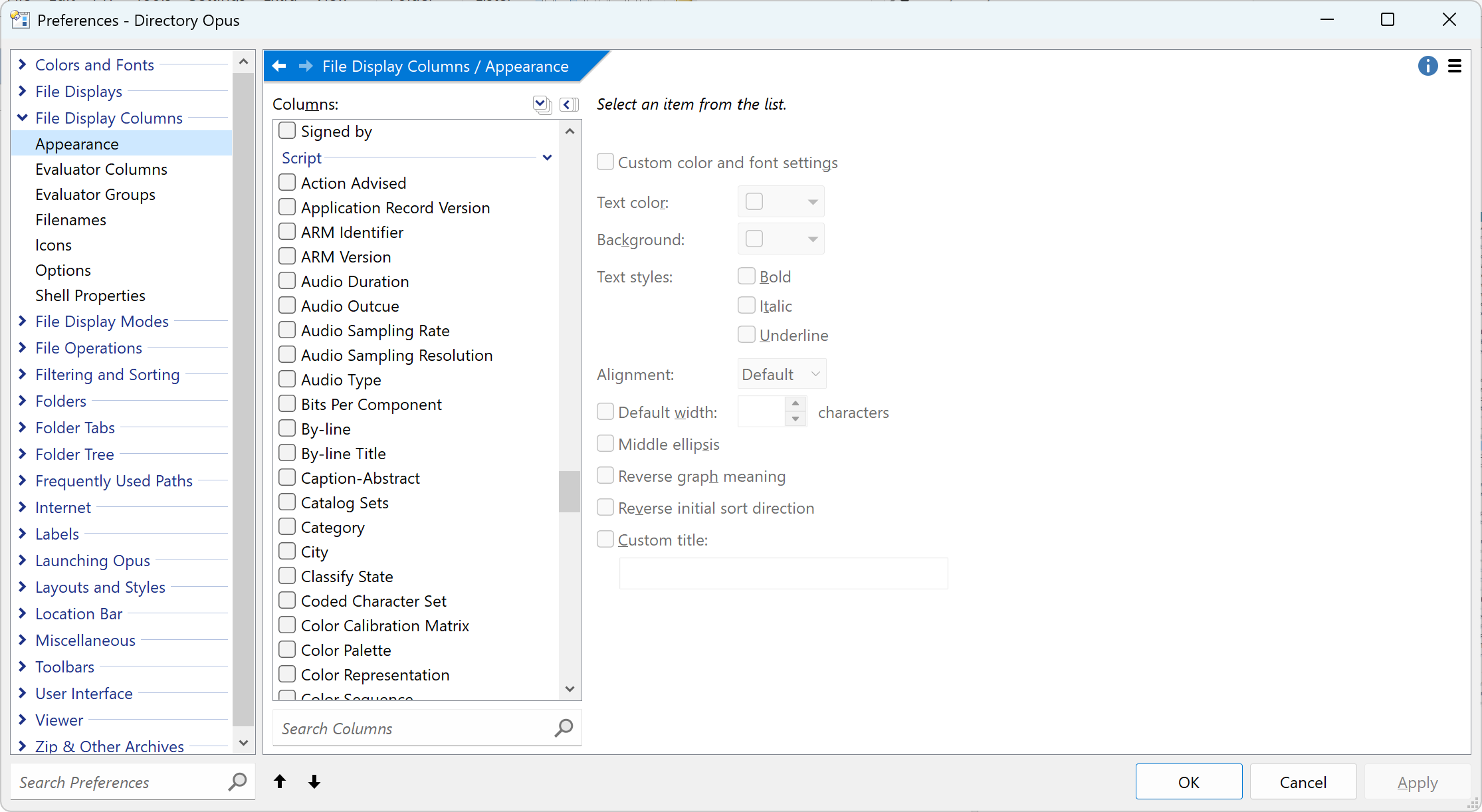
If File Explorer has columns for them, you can add them to Opus via Preferences / File Display Columns / Shell Properties.
For other data that Opus doesn't display natively, using ExifTool to populate columns for the data is probably your best bet: ExifTool Custom Columns
Both will add columns you can add to the file display or include in info-tips and tiles. They won't affect the Metadata Panel, which only shows metadata Opus knows how to edit (plus a few read-only fields to provide context).
I'd be interested in knowing if using Shell Properties will work. I don't know that the metadata will be written to ISTP metadata fields.
Please tell me how it goes!
@MegMac - Thanks for your comments! I meant IPTC, not ISTP—tmust have yping too fast
I was not able to get the Shell Properties to work. I did get it set up so that it allowed me to display selected columns, but the data for my files wasn't populated in those columns. I used the Job Title and Source fields, both of which I have populated for the files I was testing. (I was guessing that Job Title corresponded to Job Identifier but that might be wrong. I'm using Job Identifier for my files.)
I also tried adding column from the EXIFtool Custom Columns addin toolbar, and I tested several columns, but no data ever showed up.
Customizing the plugin to add fields is beyond my level of expertise. Could you provide an example of how you did that? I think if I see one addition you made I can probably figure out how to add the fields I want.
@PolarGoose Thank you! It's hugely helpful to me to have the configuration you provided with IPTC fields already set up, as I'm somewhat over my head in the technical aspects of this.
I have one problem left: I got everything installed and am able to show the columns for IPTC data. However, no data is showing in those columns. E.g., I use Source and Job ID fields extensively in my work, and I have displayed both of those columns in DOpus. But they are empty for files for which I know I have those fields filled in. Most of my files are TIF, a few are PSD, and some are PSB. Any thoughts about what might cause that would be very much appreciated.
Tom,
I looked up ISTP, and there are ISTP fields!
They are used for very large format images like photos taken for astronomy! That's why I said they were very obscure fields!
Okay, I got it mostly working. I must admit to a typical "user error"—the lister in which I was looking at my files was set to List view, so even though the column headers were displayed there was no data in the columns. Switching to Detail view displayed most of the data. I did install Release v14.0 before realizing that error, so it may be that the columns would have displayed before that, but I don't know.
The last problems I'm having are :
(1) Job ID is a field I use and have selected as a column in DOpus, but the data in it is still not displayed, even though some other fields I use (Source, Special Instructions, Writer-Editor) do display the data in them. You can download a PSD and a TIF file that show this problem here:
(2) There are a few fields that I use that are not listed in the column picker (Title, Description, and Extended Description (Accessibility)). I tried adding the following lines to the js file
After adding those, those columns can be selected in the column picker, but now none of the ISTP columns show any data. Deleting those lines brings back the display of the data in the ISTP columns that were in your original js file.
The script that I gave you contains all IPTC fields. You probably need some other non-IPTC fields. Could you open your images with the ExifTool GUI dialog or the Official GUI for ExifTool and provide a screenshot of the fields you need? I will add them to the script.
PolarGoose,
I was working on this today, there are a lot of IPTC fields that the .txt file you provided does not include.
Not a complaint, just an observation. I know you did not create the tags list from scratch.
I will try to investigate why....another day.
Thanks for staying with me on this. I've given myself kind of a crash mini-course on EXIF and IPTC fields. It's something of a confusing hodge-podge: it appears that between EXIF and IPTC there's some overlap in some fields, but they may have different names in EXIF and IPTC. And those names also seem to sometimes be different in different software tools.
I'm using Photoshop and Lightroom. In Photoshop I use the Custom Metadata Panel plugin to display and edit metadata fields. I am using the following IPTC fields:
With the exception of Title I am not using them in the way they are intended in the IPTC Photo Metadata Standard. I need metadata to track stages in my workflow and the status of my images, so I've simply adapted these fields to my purposes.
To figure out what fields my data actually ends up in, I added data to all of the above fields for a test image, then identified what EXIF and IPTC fields the data shows up in, using EXIFTool GUI Dialog, EXIFtool-Columns-Plugin, and the "Get IPTC Photo Metadata (2023.2)" web-based tool at Get IPTC PMD on the the IPTC Standards website (IPTC Photo Metadata Standard 2024.1).
Based on my research I've created the following table to summarize what I've found.
Field Name in IPTC web tool for finding IPTC data in an image
and in the IPTC documentation
Field name in EXIF
Field Name in EXIFTools-Columns-Plugin
Photoshop field name
Notes
Title
Title
Not available but not needed because Dopus provides it
Title
Available natively in DOpus
Job ID or Job Identifier
Original Transmission Reference
Original Transmission Reference
Transmission Reference
In ExifTools-Columns-Plugin, Job ID shows up and can made a column but it doesn't show the data. But the Original Transmission Reference column does show the data in the Job Identifier fields shown in Adobe apps.
Instructions
SpecialInstructions
Special Instructions
Instructions
Source
Source
Source
Source
Caption
ImageDesccription
Not available but not needed because Dopus provides it
Description
Available natively in DOpus
Extended Description
ExtDescrAccessibility
Not available but needed
ExtDescrAccessibility
DescriptionWriter
Writer-Editor
Writer-Editor
Keywords
Keywords
Keywords
Keywords
This only shows in the ExifTools-Columns-Plugin if one keyword is in the field; more than that and nothing shows
To summarize, I'm able to display all of the fields I want using Dopus native columns and Exiftools-Columns-plugin except for ExtendedDescription.
However, the column headers turn out to be cryptic for several of them. E.g., Job ID has a column header of Original Transmission Reference even though it shows up in Lightroom and Photoshop as Job Identifier. Instructions shows up as Special Instructions even though in Photoshop and Lightroom it shows up as Instructions. If there were any way to rename these columns that would be super helpful.
The Keywords column is a nice-to-have but not essential for me. And I observed that when displaying keywords in a Dopus column using ExifTools-columns-plugin it only displays data if the image has one keyword. If it has more than that, no data is displayed.
I hope all of this is helpful. Please let me know if you need more clarification or I can be of help testing anything out. The test file I used can be downloaded here (I added more metadata to it since the last upload):
Thank you for the detailed response. ExtendedDescription field is not supported by ExifTool.
E.g., Job ID has a column header of Original Transmission Reference even though it shows up in Lightroom and Photoshop as Job Identifier
This is weird. I think it is a bug in ExifTool, because ExifTool has a separate tag JobId, but it thinks that what you see in Photoshop as JobId is OriginalTransmissionReference.
I have made the following changes:
Removed JobId tag and renamed OriginalTransmissionReference column to Job ID, so that you can see the correct data as Job ID
Renamed Special Instructions column to Instructions
Fixed issue when Keywords didn't show when there are several values. exiftool-columns.zip (3.0 KB)
In DOpus, Tags = Keywords. File Explorer also uses the term 'Tags'.
IPTC Caption-Abstract is in the TagNamesDatabase.txt file. The terms 'Description' or 'Caption' is used in most applications. I think DOpus might be including non IPTC metadata in the Description field, so I plan to compare the Caption-Abstract field with the DOpus Description field because I only want to see the IPTC Description/Caption.
Title is sometimes called 'Object', so I plan to test "IPTC:ObjectName": "Object Name",
PolarGoose says he fixed the problem with the Keywords field so it can now display multiple Keywords.
@PolarGoose, one suggestion: since I noticed the same issue with MediaInfo, why not embed your ExifTool GUI utility into this script so users can just drop a file and pick whatever wanted value is shown there? That way you avoid having to manually add needed values.
MegMagic—thank you for that information! Yes, the Dopus Description field contains different information than the IPTC Desciption/Caption field, which is the one I've been using.
Thanks too for the tip on Dopus Tags being the keywords. And yes, PolarGoose's fix to the keywords column works correctly now.
In case it's useful to know, the Title column in Dopus under Columns / Documents correctly displays the IPTC Title field.