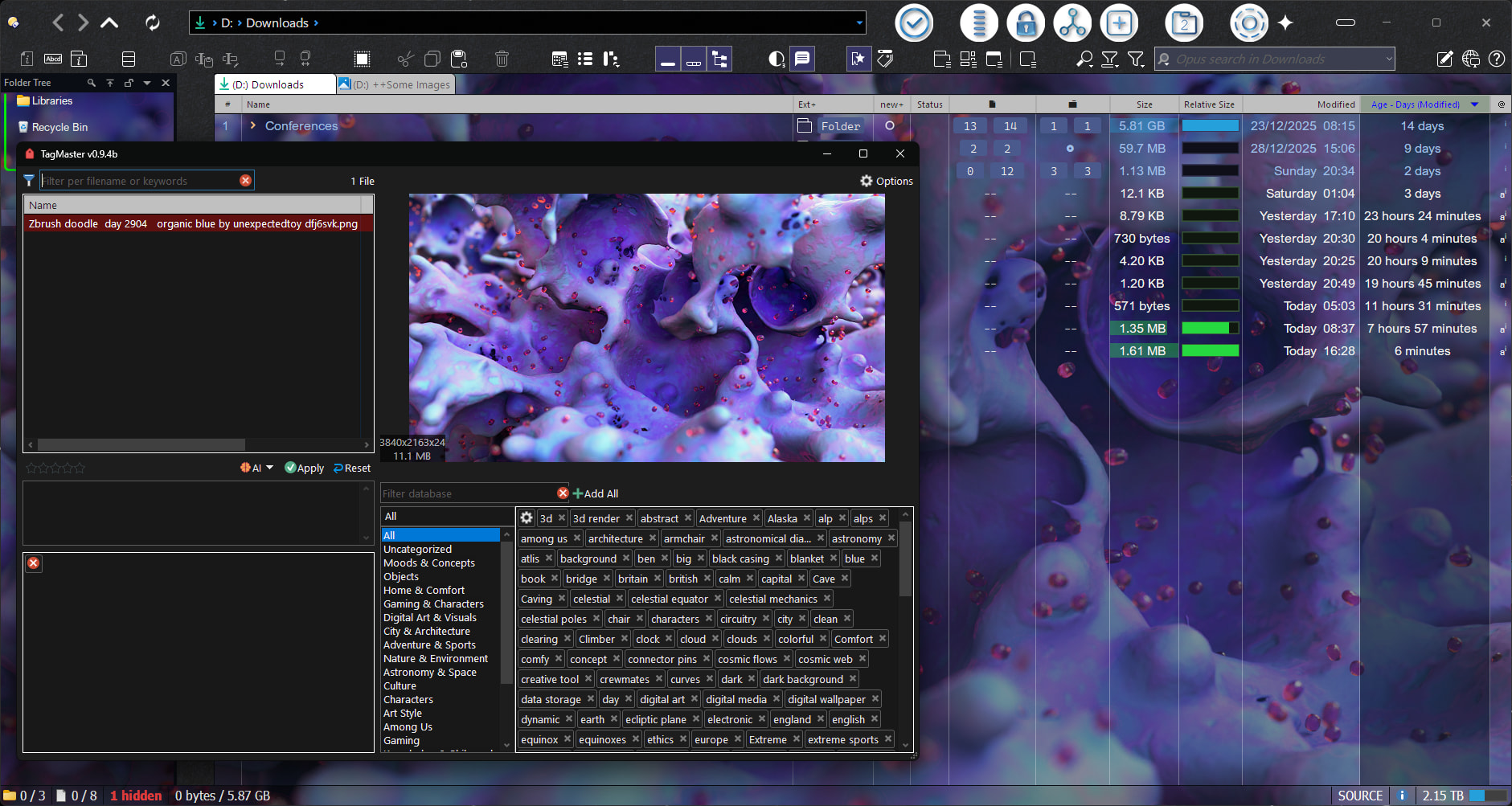
Happy New Year! This is a great, easy to use script for tagging files. Thank you for sharing. Can the database be sorted in any way? I know you have a search option, but for me, it would be useful.
@galaxyhub
Same result here.
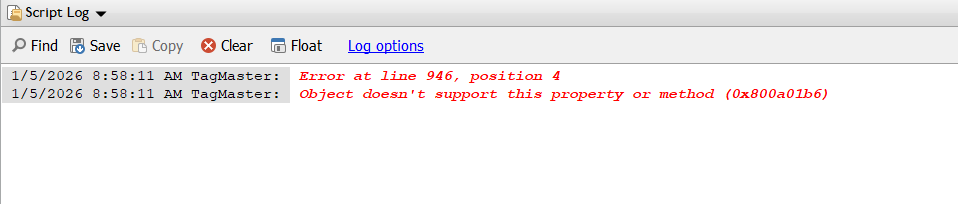
I thought I had a valid key for OpenAi 4.1 , but I get error 400.
Gemini 3.0 Pro preview results in error 429 .
But, I'm happy with the free tier we have, for now, with the other versions of Gemini .
Yes, I just tested several OpenAI models and they all fail with the same error (Bad request).
FWIW, the same procedure (in the same script) worked about a month ago, which was the last time I used it with OpenAI.
What is odd is that if you send the exact same data via CURL, you do get a response, so my guess it's something related to how Opus makes the request, maybe the user agent, I'm not sure. I'll investigate it later.
About Gemini 3.0 Pro, it looks like a limit they've set for the free tier so it always tells you that you've exceeded the limit (it's not a script error).
BTW, today I was improving v0.9.3b, and it contains a bunch of improvements: better UI, categories (subcategories, etc), Auto-Categorize feature, and several bug fixes, so stay tuned to try it.
1 Like
v0.9.3b:
- You can now categorize keywords into categories and subcategories. (explained in the About Categories section)
- In
FULLmode, if an AI model is available, it can be used to auto-sort keywords that have no category. (explained in the About Categories section) - You can now delete keywords from the database in LINKED mode.
- Fixed a bug in LINKED mode where data wouldn't update after changing the active tab in some cases.
- UI revamped in both modes.
FULLmode now has a larger, resizable preview. You can switch between the properties and the preview with F7 and F6 respectively.- LINKED mode now clearly shows which files it's acting on (it's a tooltip on the file counter).
- Other bugs fixed.
1 Like
It should be sorted, I think, since the structures it uses are auto-sortable.
Could you show a screenshot where the list is not sorted?
Awsome, many thanks 
suggestion, auto categorize toggle
suggestion, more width on categories list
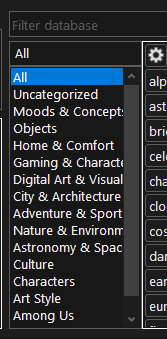
also is it checking for categories already there when categorizing ?
update: typo in CreateDataCategorize()
Categories from the the forbidden list MUST NOT be used
What do you mean with this?
When AI button is clicked, AI dialog appears and fills in tags and descriptions. Could it also, at this stage, fill in categories if some toggle/switch is on - in prefs there is 'auto-sort un-categorised', this would be a good place to put something like 'auto-categorise' (on/off)
Good idea. Makes sense to me. Whenever you generate keywords, also categorize them. Should be easy enough to implement.
Have you thought about batch processing ?
Say a folder of 1000 images, will the API's allow that sort of workload ?
Yes...
You'll probably need access to unlimited tokens for that 
I have another script for batch processing  , mostly for OCR, though you can also use it for tagging, etc.
Free tiers aren't really meant for this, I think. Gemini probably allows about 10 images at best.
Mistral is more generous and works great for OCR, but I haven't tried it with 1000 images.
Maybe that changed recently? I haven't used it for about a month. Revisiting their docs today, I noticed the models I used are now deprecated, and the limits and pricing are clearer now.
A good option might be to add support for Ollama.
But I'm not planning to add batch AI processing, at least not in this script.
TagMaster can be called with a specified file like so
BackgroundChanger CLIP=fullpath
TagMaster FILES "{clip}"
it opens in mini-mode only though, is it possible to open it in full-mode ?
TagMaster FULL FILES "{clip}" does not work
I have found two of what I think may be bugs.
- In Full Mode with a list of files, after changing a file description, the file selection scrolls back to the top most file.
- In Full Mode sometimes TagMaster crashes after attempting to delete a Tag from the Master database. That is, I am deleting the tag from the lower right corner. Unfortunately, I haven't yet found what triggers this. Hence I don't know how to reproduce it, but it does happen. Auto-sorting uncategorized doesn't seem to be involved as it has happened both before and after doing this.
After the crash, the database will contain more uncategorized entries than before the crash.
I wish I could be more specific, but until I can always trigger the crash, it is difficult to be certain of anything really.
v0.9.4b:
- New arguments:
NOAI: Fully disables any AI features inFULLmode.RECURSIVE: InFULLmode, this argument is now required to read folders recursively.
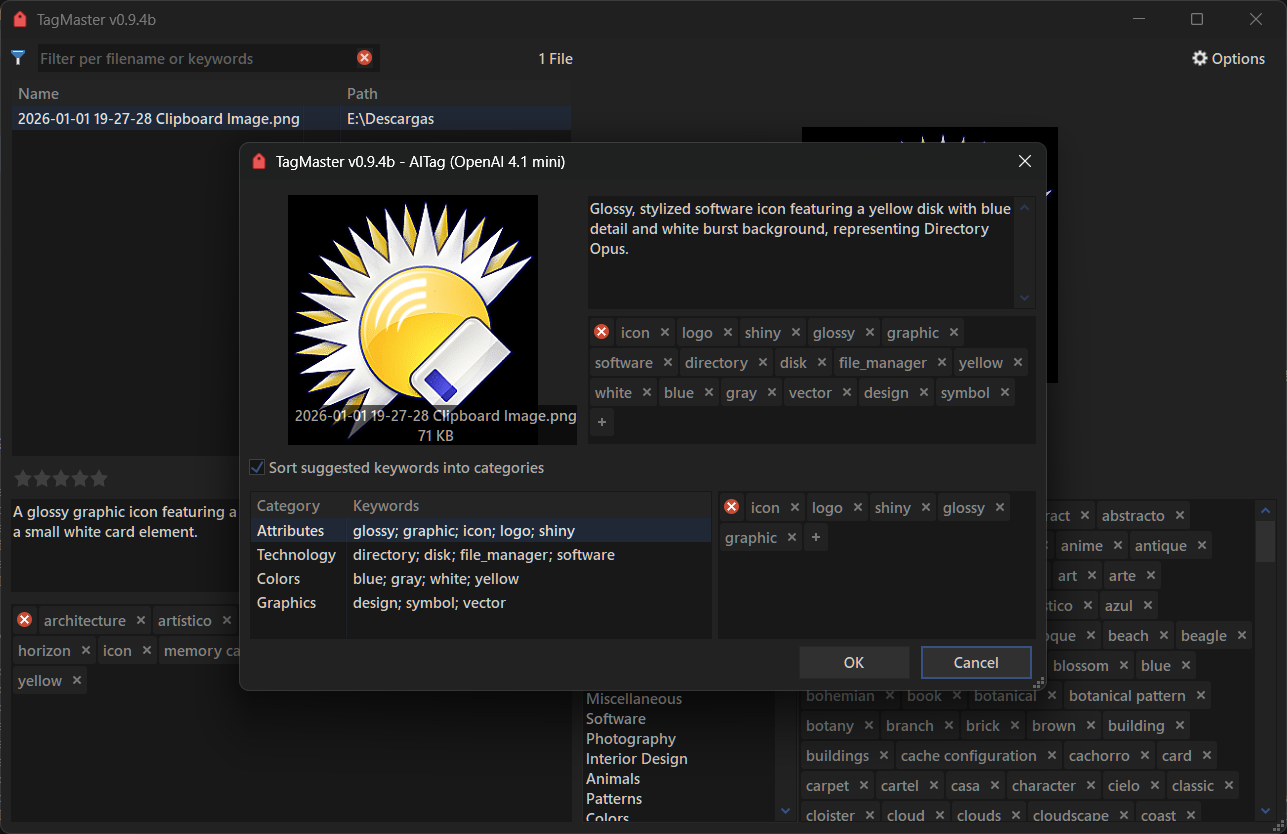
- Improved AutoTag. It now also suggests categories for the suggested keywords (work in progress).
- Improved AutoTag dialog.
- Fixed an issue when using
FILESin certain cases. - Fixed an issue when trying to delete keywords from the database when using categories.
- When loading the database, it now checks for uncategorized tags before including them.
- Fixed an issue with OpenAI models (Note: some are not accessible on the free plan or depending on the country).
- Removed OpenRouter models.
- Updated Mistral models. New models were added while keeping the old ones.
- Other bug fixes
1 Like
Check the v0.9.4b. Also note that FILES is only meant for the FULL mode, not the linked mode (is not a mini mode).
For the 2. check the v0.9.4b. I can't reproduce the 1.
v0.9.4b is definitely an improvement.
Bug 2 seems to be fixed.
I'll get back to you about Bug 1; it is getting late.
I'll work more on this tomorrow morning.
Note: The download link still reads v0.9.3b .
v0.9.4b

move Add all right a few pixels and delete button left a few pixels
BackgroundChanger CLIP=fullpath
TagMaster FILES "{clip}"
this command does not work now, just shows
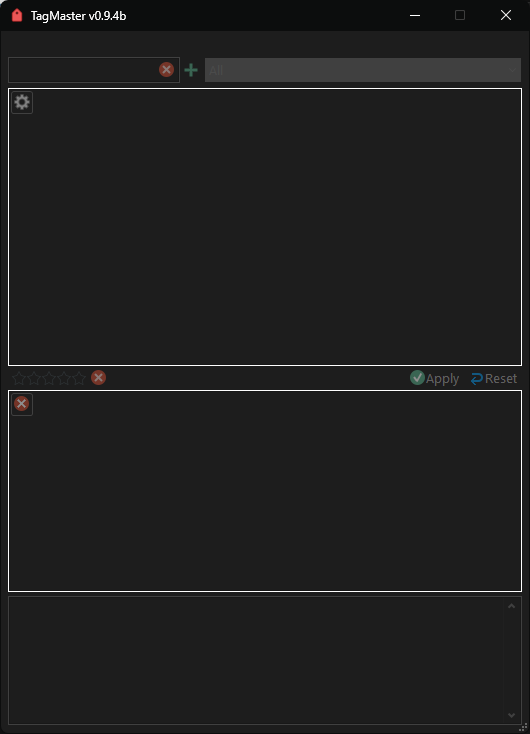
clip is
"D:\Fabric, fishing-net, fabric.png"would like it to show full mode with specified file
Again, FILES only works when used with FULL. Linked mode is not a mini mode, current selection across listers will always be followed.