I enabled the MediaInfo++ column in a folder with 5,033 MXF files, and the log showed all 5,033 entries being processed correctly.
Then I switched to a folder with 2,135 MXF files suspected of being corrupt — no scanning activity appeared in the log. I launched >MediaInfo++ CONFIG, hoping to reset the scan engine, but didn't realize it would clear the script log, so that full 5,033-file scan log is now lost.
Next, I tested with a small folder containing 2 known-good MXF files — both scanned successfully and were logged.
I then returned to the 2,135 suspected files folder: still no scanning activity in the log.
However, when I switched to the Duplicate Files results view (a comparison between the 5,033 good and 2,135 suspect files), the scan resumed — but only reached 361 files before stalling again.
Tentative theory:
MediaInfo++ stalls silently when the scan target is entirely made up of corrupt or metadata-inaccessible MXF files.
When the scan target is a hybrid set (some readable, some not), it proceeds but gives up around 360–370 entries.
If the folder contains only valid MXF files, the scan runs to completion.
Here's the (incomplete) log:
P.S. I’ve set if (value === undefined) return 'X'; again in this version, since I’m eager to confirm which files were scanned but found unreadable. It’s important for me to distinguish between files that genuinely failed metadata extraction versus those that simply haven’t been processed yet.
Thanks!
If you can find a file that causes that stall, one that's small enough and you could send me via private message here, I could take a look at what's going on and more importantly, see how to fix the issue with the column if possible.
Because 180 mxf files were marked as "X" (corrupt) I grouped by Format Profile and moved them into a separate folder and re-ran the Duplicate File scan based on this slightly smaller folders comparison. Then the MediaInfo++ scan stopped after 3 (!) scans, and all the log shows is the successful scans, not the filename of the scan that choked it.
Thanks for the file!
The issue seems deeper than I first thought.
As mentioned above, the script uses an ActiveX addin courtesy of @PolarGoose to talk to MediaInfo.
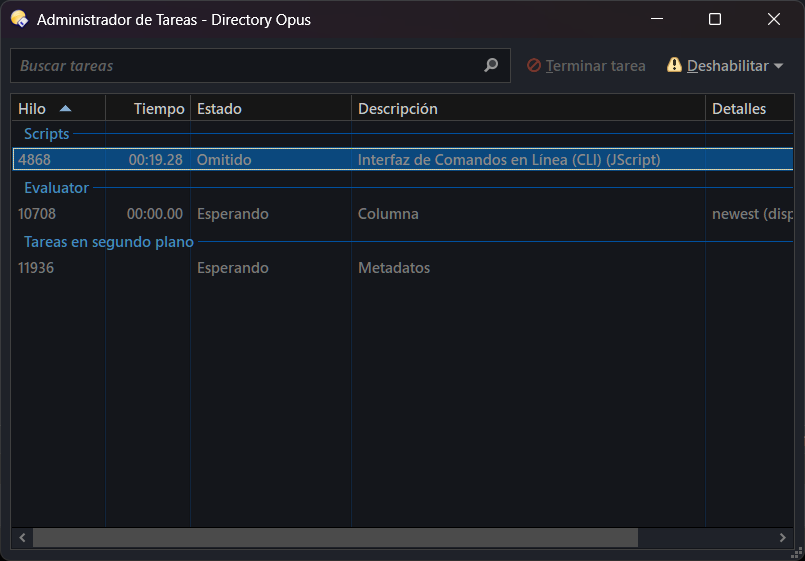
When trying to open one of these files that way, the script stops responding—and eventually DOpus does too—and you can't even kill the task from the new Opus Task Manager.
Since this plugin doesn't return anything when opening a file, there's no way to detect if/when this happens. According to this part, it's supposed to throw an error on failure, but it doesn't seem to apply here, not sure why.
From the script's perspective, there's nothing I can do here, unfortunately.
@PolarGoose, could you take a look at this? Just try something like this in the ad-hoc Script Editor.
var item = DOpus.FSUtil().GetItem('E:\\Descargas\\mi_test\\V01E14C9C09_4162F4162F481V.mxf');
var MediaInfo = new ActiveXObject('DOpusScriptingExtensions.MediaInfoRetriever');
var mi_info;
DOpus.Output('starting test...');
//MediaInfo.Option_Static('Output', 'JSON');
try {
	MediaInfo.Open(item);
	mi_info = MediaInfo.Inform();
	MediaInfo.Close();
}
catch (err) {
	DOpus.Output(err);
}
DOpus.Output('MI:' + mi_info);
DOpus.Output('test finished...');
Opus won't hang, but it'll start gobbling CPU and memory, you can't stop it—even from its own Task Manager—and eventually you have to completely exit from Opus.
FWIW, the MediaInfo CLI version does not have that issue with the file. @ckahn, could you send that same file to PolarGoose so he can check it out?
Thanks to both!
It turned out that it was a bug in a specific version ot MediaInfoLib.
Now the DOpus-Scripting-Extensions uses the version of MediaInfoLib that works properly.
I have released a new version of DOpus-Scripting-ExtensionsRelease v13.0
I don't understand what you're talking about.
The whole point of this script is so you don't have to write or modify a single line of the code in there.
That place is not designed for what you suggest.
It might be possible to have the configuration dialog displayed by clicking the About button in the script management window. I've never tried do something like that.
In my opinion, it would be a bit confusing, and I can't think of an easier way to access that dialog than the one that currently exists.
I have also noticed that some keywords are shown that are not listed in the official Mediainfo documentation (which is where I got the data from).
Beside that, I was thinking to add a way so when you drop a file for a preview, it will also add all the keywords that are not listed, so you can simply check those you want to add and then edit them as usual. Would that work for you? That way users don't have to rely on me to add any new non listed keyword. Thinking in retrospect, that should have been the way to go in the first place.
For custom categories, I can add an option for that too, although I can't find how to change that value for a column in the documentation.
Oh, sorry. Of course.
But can you control what opens when one clicks the gear icon, or the 'Edit' button?
I realize I you consider me a nuisance, but your script is the only solution I have found for displaying certain video date fields. I am extremely grateful.
I organize personal digital photo and video collections for clients, and I teach others how to do that also. Clients collections often include .AVI, MTS, and other file extensions for which no GUI application (other than DOpus with your plugin) displays the date metadata fields needed.
I am developing a DOpus course for working with personal photo and video collections, and I am hoping to include your plugin, but am also hoping to avoid including commands in the course, or teaching people how to create a button to run a command.
New version is out. MediaInfo++ v0.9.2 At least Opus v13.16.5 is required
Last night I made some big changes:
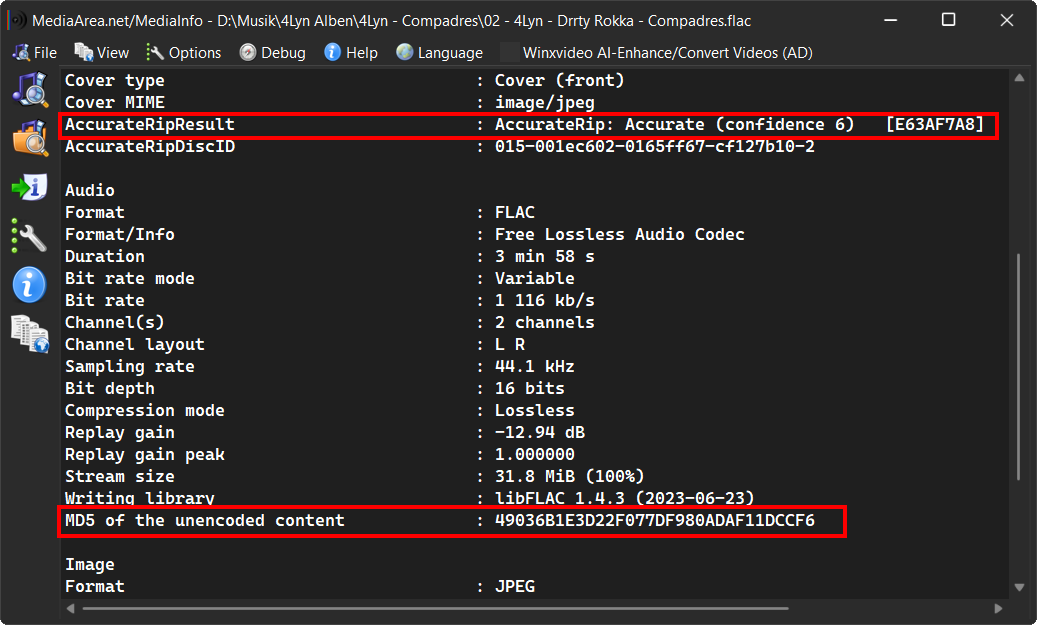
Now when you run CONFIG, only saved values show in the list at first. Then, if you drop a file into the window, the list populates with every keyword that actually has a value (not empty) for that file. I think this is the way for a script like this. With it:
You can include any value you need from a file—you don't have to stick to the default list or wait for me to add it.
You can't use keywords that MediaInfo Inform never returns.
The command starts up faster.
Other tweaks:
Reset and Remove buttons now are functional. Use Remove to take a value out of the list, or Reset to revert a field to its state when you opened the dialog.
A few UI fixes—some values now show translated labels, etc.
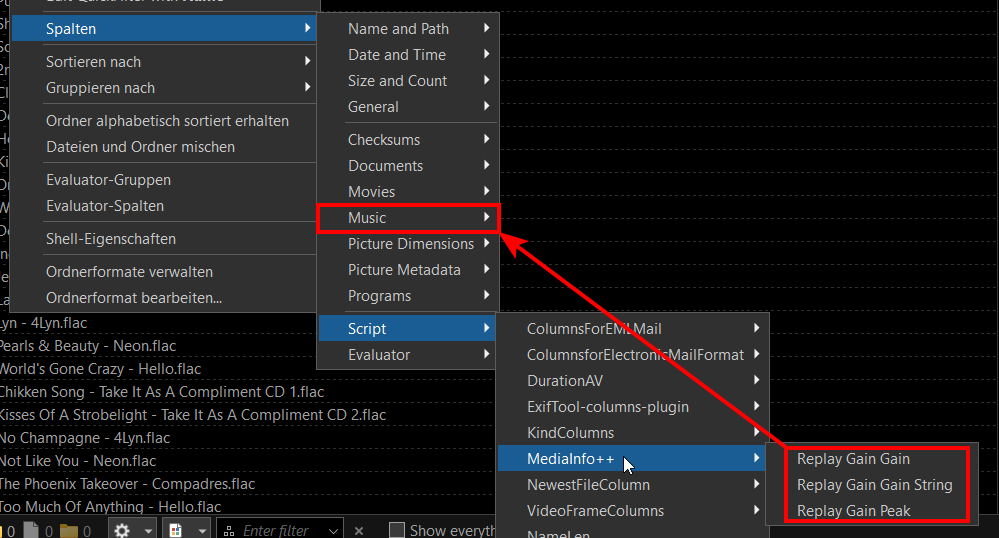
Added a field to customize which category the column goes in. I've included the ones that make sense for now.
When you drop a file for preview, its file-type group or extension is added automatically—whichever applies.
Values converted to "double" should now accept negatives.
Notes:
This is a preview, so future updates might break your existing settings. I've tried to keep compatibility, but if you run into problems updating columns, a clean reinstall of the script is recommended (note that this will erase your previous column configs).
I've changed the keyword names (e.g. from ImageWidth to Image_Width), so if you were using them elsewhere (not in columns), is time to change them.
Default infotips have changed—use the Reset button to restore them to factory settings.
I haven't had time for extensive testing, so please report any bugs or issues you find in this version. Or simply just drop your like if you find this script useful.

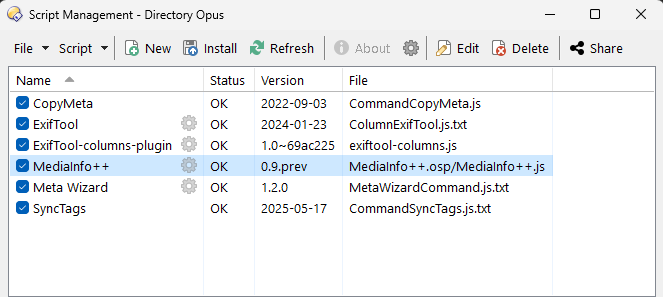

 At least Opus v13.16.5 is required